
Best Ollama Models for 8GB RAM: real CPU-only test
I tested six Ollama model tags under a strict 8GiB RAM limit with no GPU. The practical answer is simple: start with qwen2.5:0.5b, move to gemma3:1b for a small daily assistant, and treat 3B as the upper practical range for this hardware tier.
Best first install
qwen2.5:0.5b
58.02 tokens/s
Best small daily pick
gemma3:1b
30.70 tokens/s
Slow boundary
qwen2.5:7b
7.15 tokens/s
The best Ollama model for 8GB RAM is not the biggest one that loads.
On an 8GB RAM CPU-only machine, model fit is decided by responsiveness and memory headroom before benchmark prestige. In this run, 0.5B to 1.5B models stayed comfortable, qwen2.5:3b was still usable, and qwen2.5:7b crossed into “it works, but I would not recommend it as the default” territory.
Install first
qwen2.5:0.5b
Daily lightweight chat
gemma3:1b
1B comparison
llama3.2:1b or qwen2.5:1.5b
Stretch only
qwen2.5:3b
How this Ollama 8GB RAM test was measured
One constrained runtime
All six model tags ran inside the same Docker container capped at 8GiB RAM with no GPU passthrough.
One fixed prompt
Each model answered the same practical local-assistant prompt with temperature 0, num_ctx 2048, and num_predict 128.
One measured speed formula
Tokens per second uses Ollama returned eval_count divided by eval_duration, not a hand-timed impression.
Memory and speed together
A model only counts as recommended when it leaves useful headroom and still answers quickly enough for casual work.
Fixed prompt
The prompt asked for a concise six-bullet recommendation for running a private local AI assistant on an 8GB RAM CPU-only laptop, including model size, context length, and what to avoid.
temperature: 0
num_predict: 128
num_ctx: 2048
speed: eval_count / eval_duration from Ollama
memory: docker stats after each model run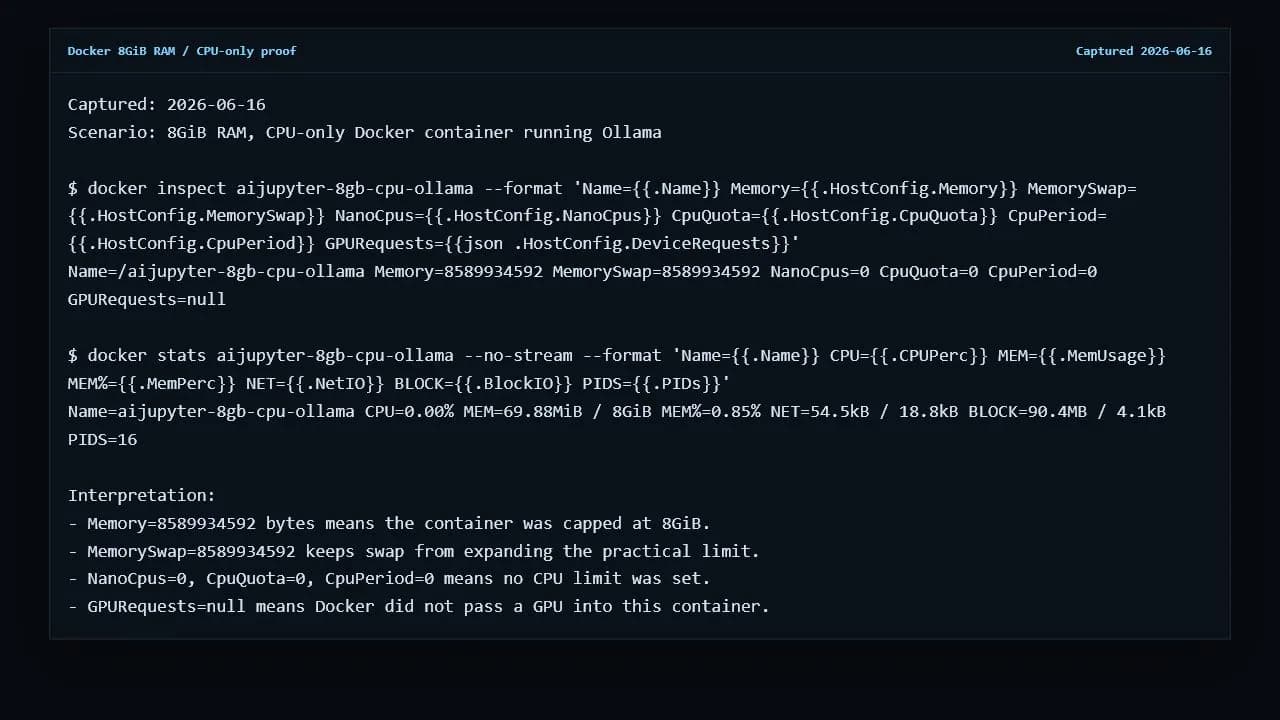
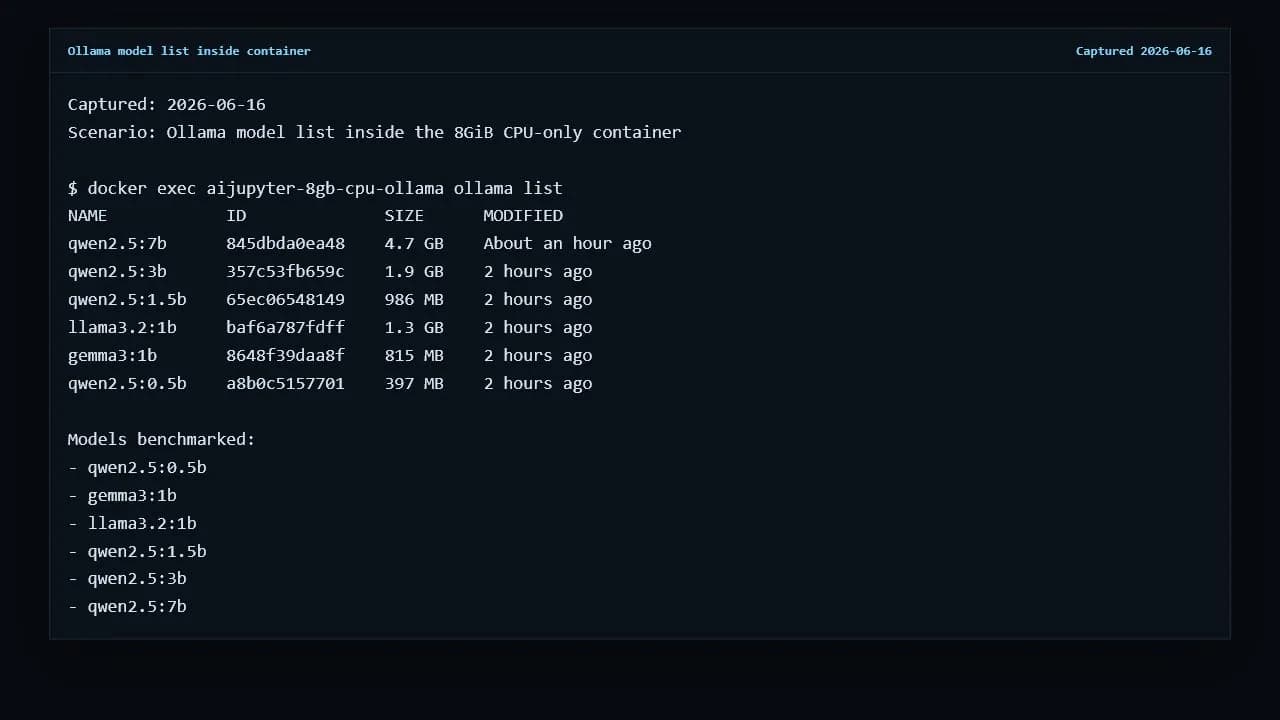
Tested Ollama models for 8GB RAM
The table ranks the models by practical fit, not just size. A 7B model that loads but takes 30 seconds for 128 generated tokens is less useful than a smaller model that leaves the computer responsive.
| Rank | Model | Ollama size | Tokens/s | Wall time | Memory | Verdict |
|---|---|---|---|---|---|---|
| #1 | qwen2.5:0.5bUse it to prove Ollama, memory, and CPU-only inference are working. | 397 MB | 58.02 | 2.47s | 1003MiB / 8GiB | Best first install |
| #2 | gemma3:1bA better lightweight assistant candidate once the runtime is working. | 815 MB | 30.70 | 7.32s | 2.132GiB / 8GiB | Best small daily pick |
| #3 | llama3.2:1bGood to compare if you prefer Llama-family behavior. | 1.3 GB | 25.89 | 7.87s | 3.295GiB / 8GiB | Usable 1B alternative |
| #4 | qwen2.5:1.5bStill responsive enough for short private prompts. | 986 MB | 25.65 | 7.65s | 3.88GiB / 8GiB | Usable Qwen step-up |
| #5 | qwen2.5:3bTry it only after the 1B class feels too weak. | 1.9 GB | 16.77 | 13.94s | 4.45GiB / 8GiB | Upper practical range |
| #6 | qwen2.5:7bA useful warning line, not the default 8GB recommendation. | 4.7 GB | 7.15 | 30.07s | 6.409GiB / 8GiB | Slow boundary |
The Ollama commands I would run first
First run
ollama run qwen2.5:0.5bFastest measured model and the least frustrating way to confirm Ollama works.
Small daily assistant
ollama run gemma3:1bStill comfortable in the test while giving a more useful small-model experience.
Compare 1B behavior
ollama run llama3.2:1bA practical Llama-family alternative for rewriting, summaries, and short chats.
Stretch test
ollama run qwen2.5:3bTry only when 1B models are too weak and you can tolerate slower replies.
Newer Ollama candidates need the same 8GiB retest before ranking.
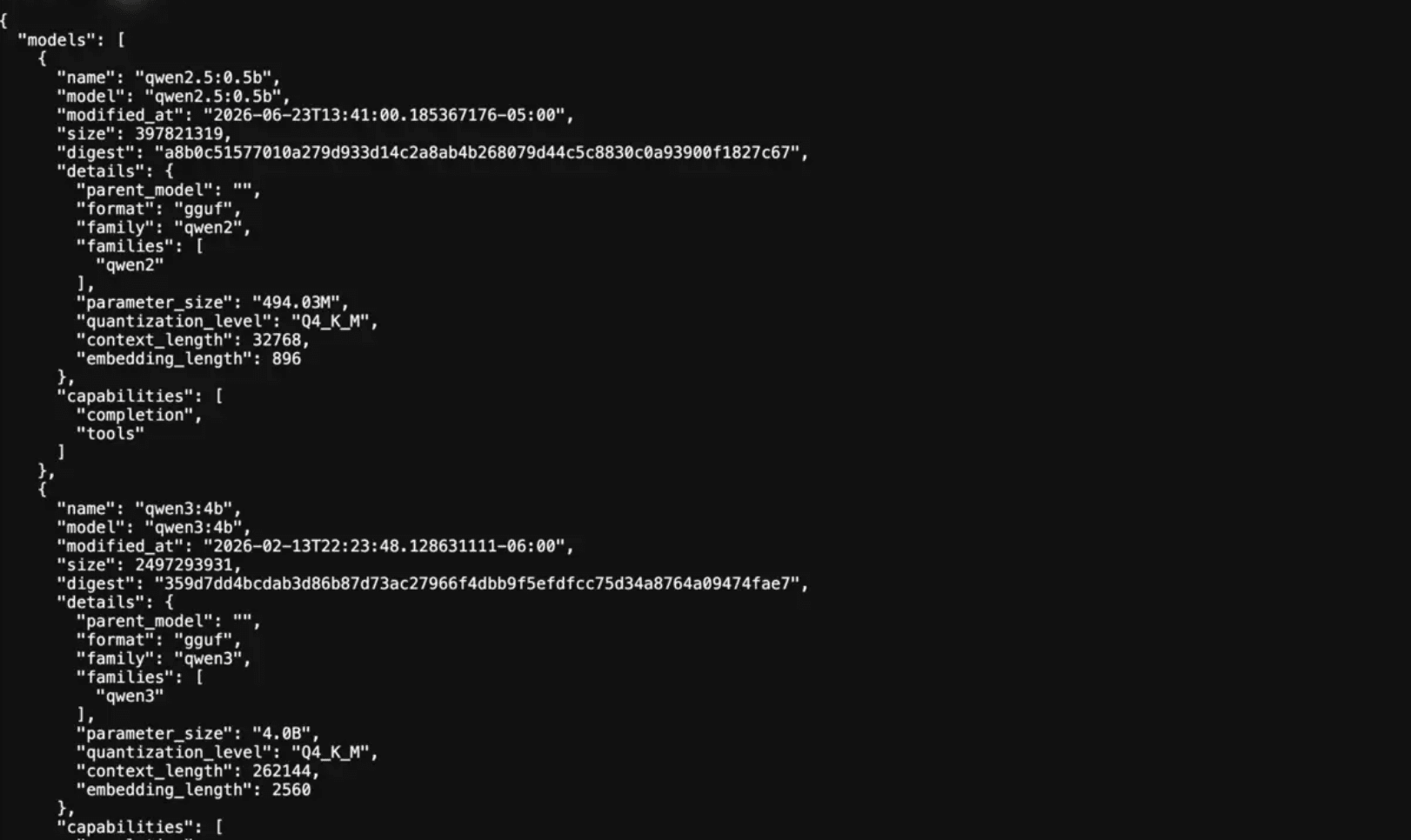
Ollama now lists newer small tags such as Qwen3 0.6B, 1.7B, and 4B, plus Gemma 3 270M. They are good future candidates, but this page does not call them winners because they were not part of the captured 2026-06-16 container run.
qwen3:0.6bModern tiny Qwen3 tag that should be retested as a new first-install candidate.
qwen3:1.7bLikely 1B-class successor candidate, but not ranked here until measured in the same 8GiB setup.
qwen3:4bInteresting quality stretch, but its larger size needs a separate memory and responsiveness check.
gemma3:270mA very small fallback candidate for older laptops where even 1B models feel heavy.
Rules I would use before downloading more Ollama models
Keep context short
Start near 2048 tokens. Larger context windows increase KV cache memory and can make a barely usable model feel worse.
Close heavy apps before judging
A browser, IDE, video app, and the model can compete for the same 8GB RAM budget.
Do not start with 7B
Loading is not the same as comfort. 7B is useful as a boundary test after smaller models are measured.
FAQ
Best Ollama models for 8GB RAM questions
What is the best Ollama model for 8GB RAM?
For a first install, use qwen2.5:0.5b. For a small daily local assistant, try gemma3:1b next. In this 8GiB CPU-only test, both stayed comfortably fast, while qwen2.5:3b was usable but slower.
Can I run a 7B Ollama model on 8GB RAM?
Yes, qwen2.5:7b loaded and answered in the test, but it only reached 7.15 tokens/s and used 6.409GiB of the 8GiB limit. Treat 7B as a boundary test, not the default recommendation.
Why not rank every popular Ollama model?
This page ranks only the models measured in the same 8GiB CPU-only run. Newer candidates such as qwen3:0.6b, qwen3:1.7b, and qwen3:4b should be retested before being called winners.
Is this a quality benchmark?
No. It is a fit and responsiveness test for 8GB RAM. The output still needs human judgment, but the measured speed and memory data show which model sizes are practical on this hardware tier.
Do I need Docker to use Ollama on an 8GB laptop?
No. Docker is used here to enforce the 8GiB memory ceiling and make the test reproducible. For normal use, installing Ollama directly is simpler.
Will my 8GB laptop get the same tokens per second?
Probably not exactly. The host CPU was an AMD Ryzen 7 9800X3D, so older laptop CPUs may be slower. Use the result as a model-size shortlist and retest your own prompts.