
Best Local LLM for 8GB RAM: CPU-Only Docker Benchmarks
I tested six local LLMs inside an Ollama Docker container capped at 8GiB RAM with no GPU passthrough. The short answer: start with qwen2.5:0.5b or gemma3:1b. Use 3B models only if you can wait. 7B models can load, but they feel slow on this class of machine.
Fastest
qwen2.5:0.5b
58.02 tokens/s
Best range
0.5B to 3B
Smooth enough for local chat
Slow edge
qwen2.5:7b
7.15 tokens/s
What should you run on an 8GB RAM CPU-only computer?
Install first
qwen2.5:0.5b is the safest first model. It used about 1GiB loaded memory and generated 58.02 tokens/s in this test.
Daily lightweight chat
gemma3:1b, llama3.2:1b, and qwen2.5:1.5b stayed above 25 tokens/s and are still comfortable.
Quality tradeoff
qwen2.5:3b is the upper practical range here. It ran at 16.77 tokens/s, which is usable but no longer snappy.
Yes, I set up Docker first
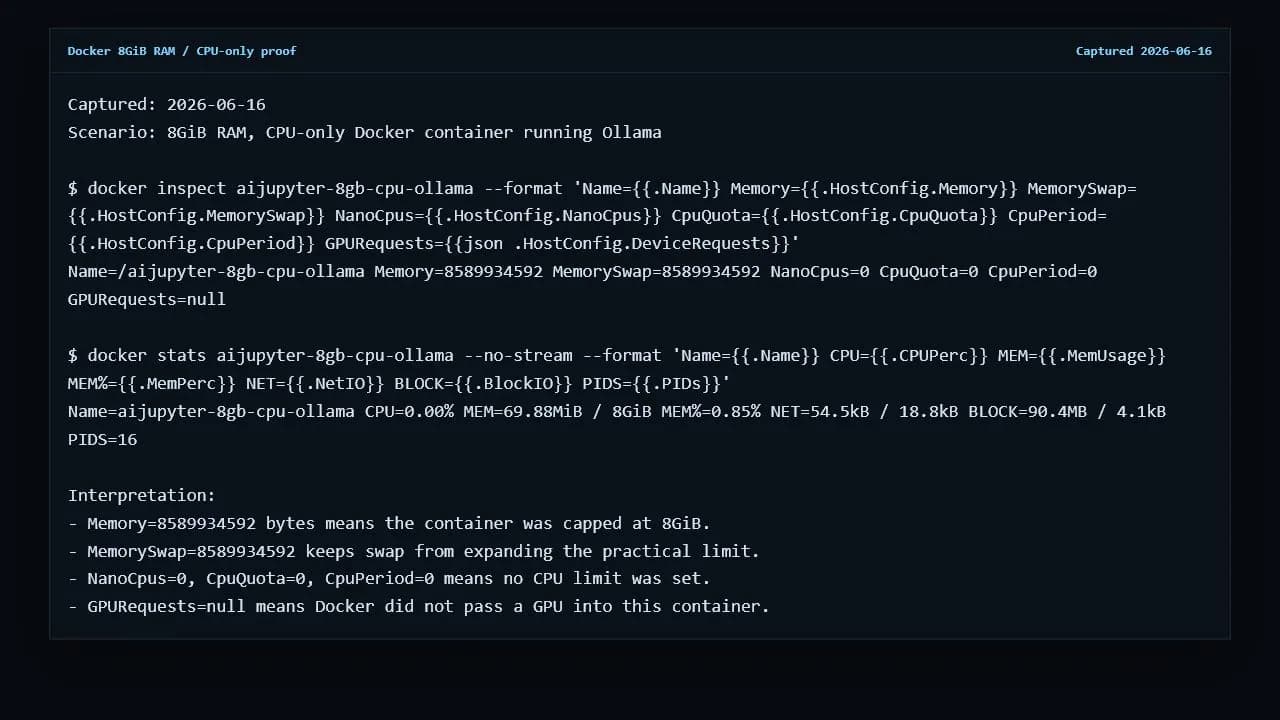
Docker is not required if you only want to run Ollama on your own computer. For this article, Docker matters because it lets the test mimic an 8GB RAM CPU-only box while the host machine has more memory and a GPU. The container was launched with an 8GiB memory limit and no GPU request.
docker run -d --name aijupyter-8gb-cpu-ollama \
  --memory=8g --memory-swap=8g \
  -p 11435:11434 \
  -e OLLAMA_NUM_PARALLEL=1 -e OLLAMA_KEEP_ALIVE=0 \
  ollama/ollama:latest
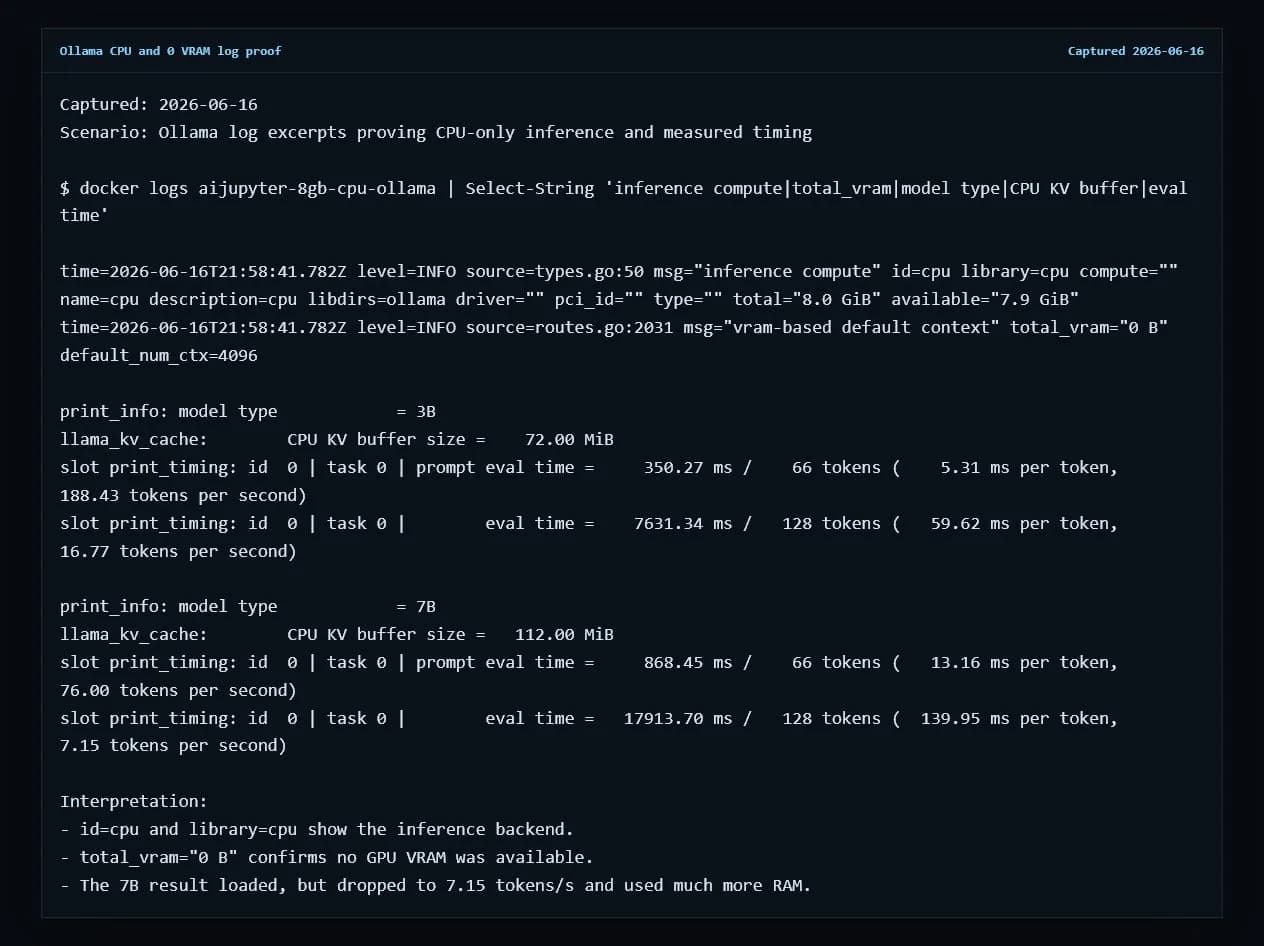
The important proof line is GPURequests=null. Ollama also logged id=cpu library=cpu and total_vram="0 B", so the benchmark did not use the host RTX GPU.
Tokens per second: 0.5B and 1B models are the real 8GB sweet spot
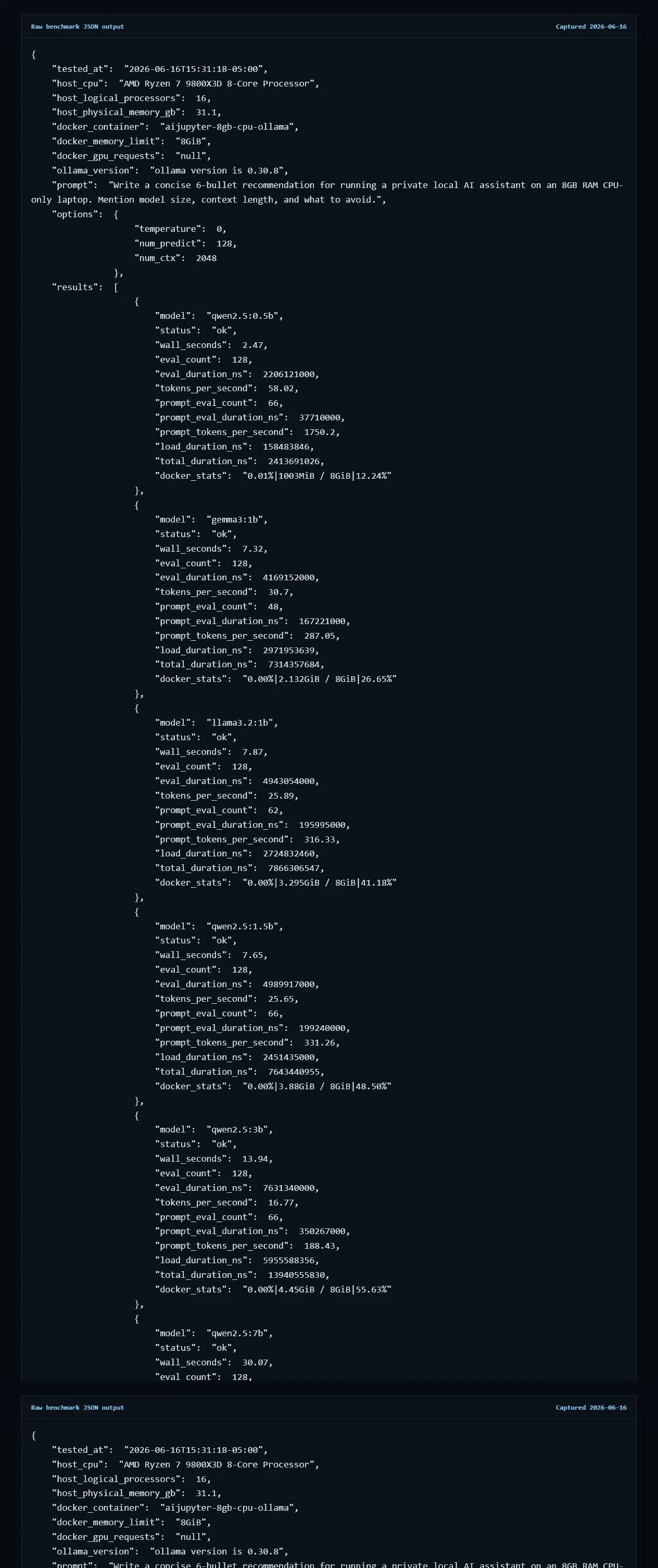
I used the same prompt, num_ctx=2048, num_predict=128, and temperature=0 for every model. Tokens per second were calculated from Ollama's returned eval_count / eval_duration.
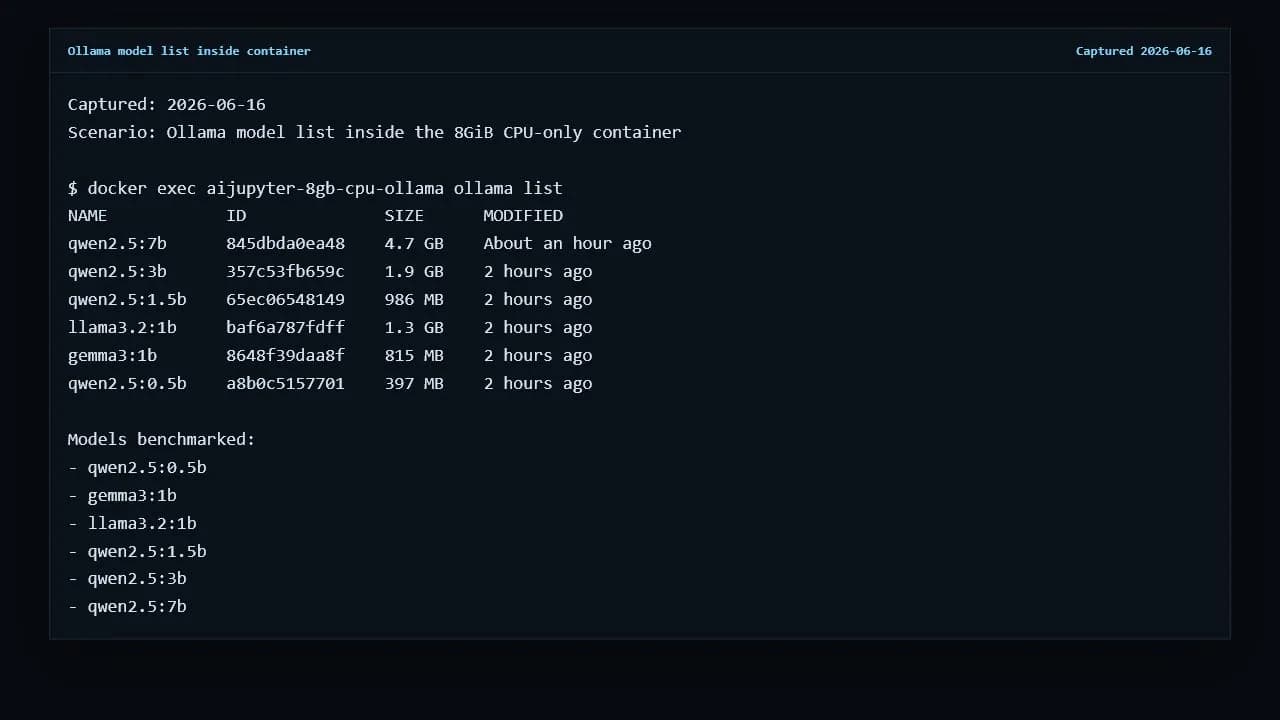
| Model | Size | Tokens/s | Loaded memory | Verdict |
|---|---|---|---|---|
| qwen2.5:0.5b | 397 MB | 58.02 | 1003MiB / 8GiB | Best first install |
| gemma3:1b | 815 MB | 30.70 | 2.132GiB / 8GiB | Recommended |
| llama3.2:1b | 1.3 GB | 25.89 | 3.295GiB / 8GiB | Usable |
| qwen2.5:1.5b | 986 MB | 25.65 | 3.88GiB / 8GiB | Usable |
| qwen2.5:3b | 1.9 GB | 16.77 | 4.45GiB / 8GiB | Usable, not snappy |
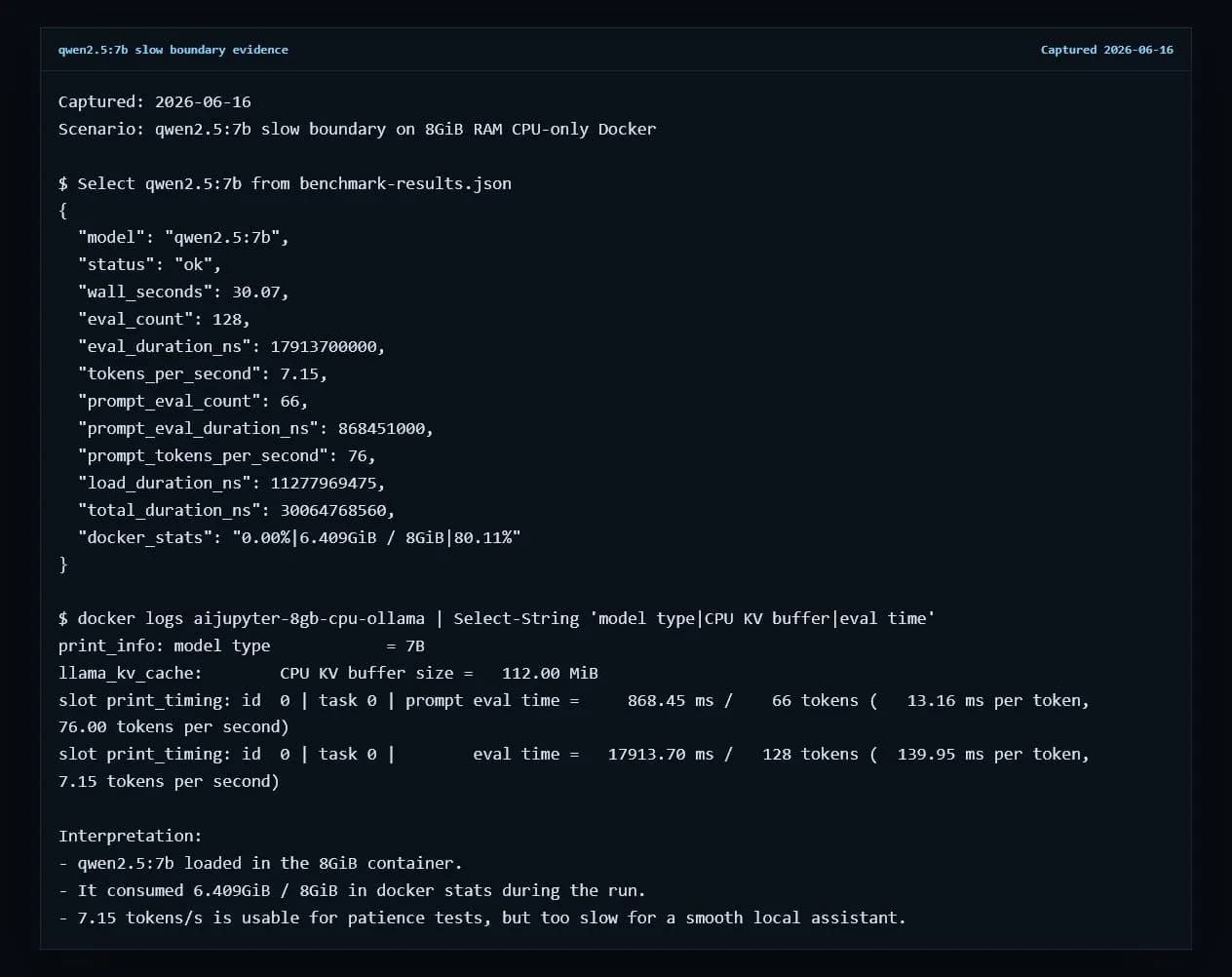
| qwen2.5:7b | 4.7 GB | 7.15 | 6.409GiB / 8GiB | Slow boundary |
Raw benchmark JSON is available at benchmark-results.json. The host CPU was an AMD Ryzen 7 9800X3D, so older 8GB laptops should expect lower absolute numbers, but the model order is still useful.
7B works, but it is the wrong default for 8GB RAM CPU-only
The 7B result is the useful warning. It did not crash. It did not require a GPU. But it took 30.07 seconds to generate 128 tokens and used 6.409GiB inside the 8GiB container. On a real 8GB laptop with a browser, editor, and OS services open, that margin can disappear quickly.
Keep context short
Use 2048 tokens or less when memory is tight. Bigger context windows increase KV cache memory and make a barely usable model feel worse.
Avoid 13B+ on this tier
If 7B is already at 7.15 tokens/s on this CPU, larger dense models are not a good daily-driver target for an 8GB RAM CPU-only machine.
Install commands
The install order I would use
First
ollama run qwen2.5:0.5bFastest, lowest memory, best sanity check.
Second
ollama run gemma3:1bStill fast enough for a small private assistant.
Stretch
ollama run qwen2.5:3bBetter capability tradeoff, but expect slower replies.
FAQ
Practical 8GB local LLM questions
What is the best local LLM for 8GB RAM with no GPU?
In this Docker test, qwen2.5:0.5b was the safest first install at 58.02 tokens/s, while gemma3:1b was still comfortable at 30.70 tokens/s. If you want a stronger model and can tolerate waiting, qwen2.5:3b was usable at 16.77 tokens/s.
Can an 8GB RAM CPU-only computer run a 7B local LLM?
Yes, qwen2.5:7b loaded in the 8GiB container, but it only generated 7.15 tokens/s and used 6.409GiB of the 8GiB memory limit. That is usable for experiments, but too slow for a smooth daily assistant.
Do I need Docker to test local models on an 8GB machine?
Docker is not required for normal Ollama use, but it is useful for this benchmark because it enforces the 8GiB RAM ceiling and proves the test was CPU-only. For daily use, installing Ollama directly is simpler.
Will these tokens per second match an old 8GB laptop?
No. The container was limited to 8GiB RAM, but the host CPU was an AMD Ryzen 7 9800X3D. Older laptop CPUs will usually be slower, so treat the ranking as a fit and relative-speed guide rather than a universal speed promise.
More local LLM hardware guides
Best Local LLM for 8GB RAM
Compact local LLMs for 8 GB laptops and CPU-only machines.
Best Local LLM for 16GB RAM
Balanced local LLMs for 16 GB laptops and MacBooks.
Best Local LLM for 32GB RAM
Stronger local LLMs for 32 GB RAM systems.
Best Local LLM for RTX 4090
High-performance local LLMs for 24 GB VRAM RTX 4090 builds.
Best Local LLM for MacBook
MacBook-friendly local LLMs for Apple Silicon unified memory.