ReAct Agents Explained: How Reasoning and Acting Make AI Workflows Smarter
A clear, practical guide to ReAct agents: how reasoning, tool use, observations, and feedback loops help AI agents complete complex real-world tasks
Most language models are good at producing answers. But real work rarely happens in one clean shot.
When you debug a production issue, research a market, inspect a codebase, compare tools, or automate a business process, you do not simply “know” the answer. You look around. You check evidence. You try something. You adjust.
That is the basic idea behind ReAct agents.
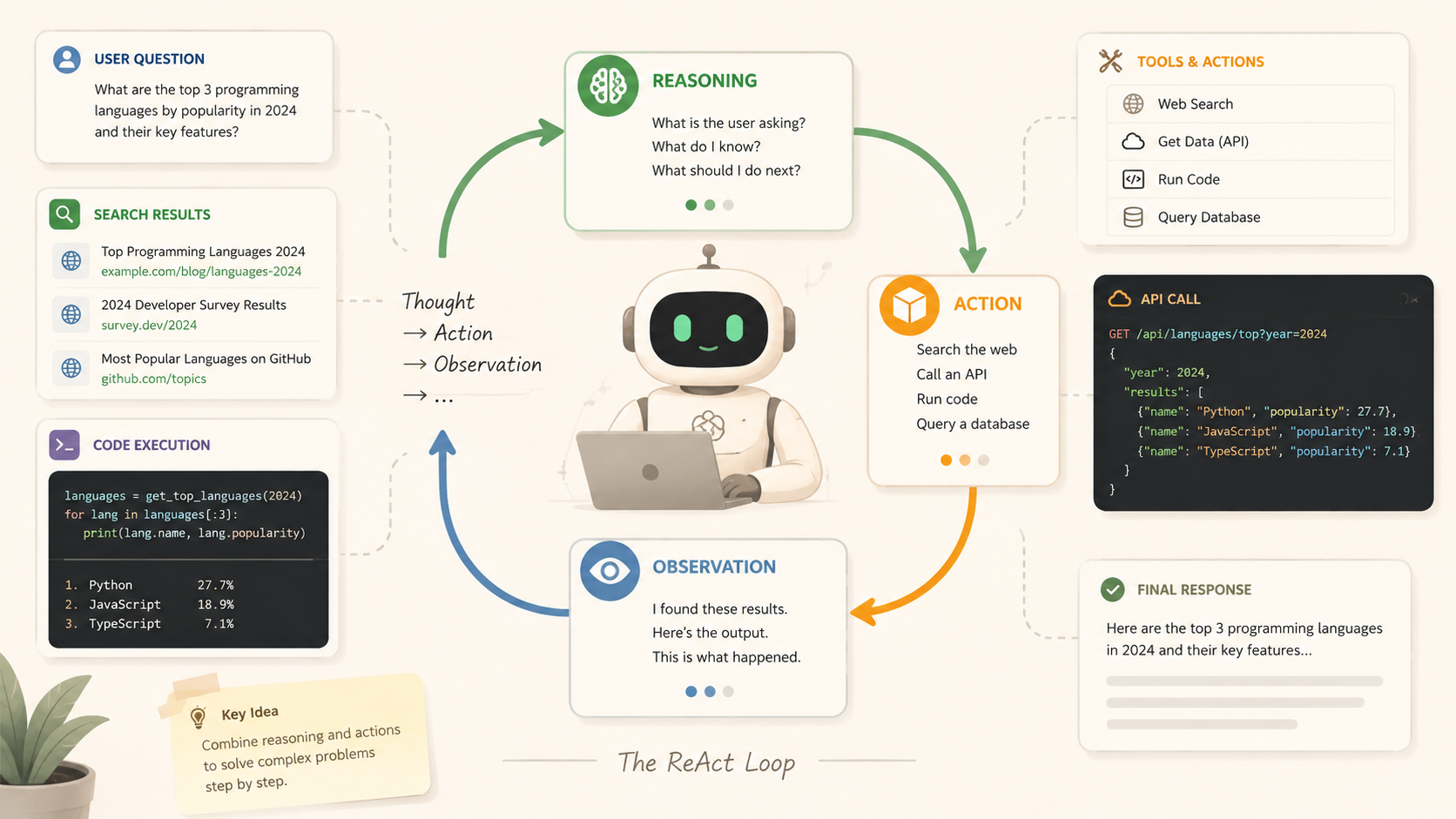
ReAct stands for Reasoning + Acting. It is a design pattern that lets a language model move back and forth between thinking and doing. Instead of generating a final response immediately, the agent can decide what it needs, use a tool, observe the result, and continue from there.
In simple terms, a ReAct agent turns a language model from an answer machine into a working assistant.
What Is a ReAct Agent?
A ReAct agent is an AI agent that combines two abilities:
- Reasoning: deciding what needs to be done next
- Acting: using tools or taking actions in the outside world
A normal language model interaction looks like this:
User asks a question → Model answers
A ReAct workflow looks more like this:
User gives a goal
→ Agent reasons about what is needed
→ Agent takes an action
→ Tool returns an observation
→ Agent updates its reasoning
→ Agent acts again
→ Final answer
That small change matters.
The model is no longer just generating text. It becomes the decision layer in a larger system. It can choose whether to search the web, read a file, call an API, query a database, run code, inspect a browser page, or ask the user for clarification.
In other words, ReAct gives the model a loop.
And loops are where useful work happens.
The Core ReAct Loop: Reason, Act, Observe
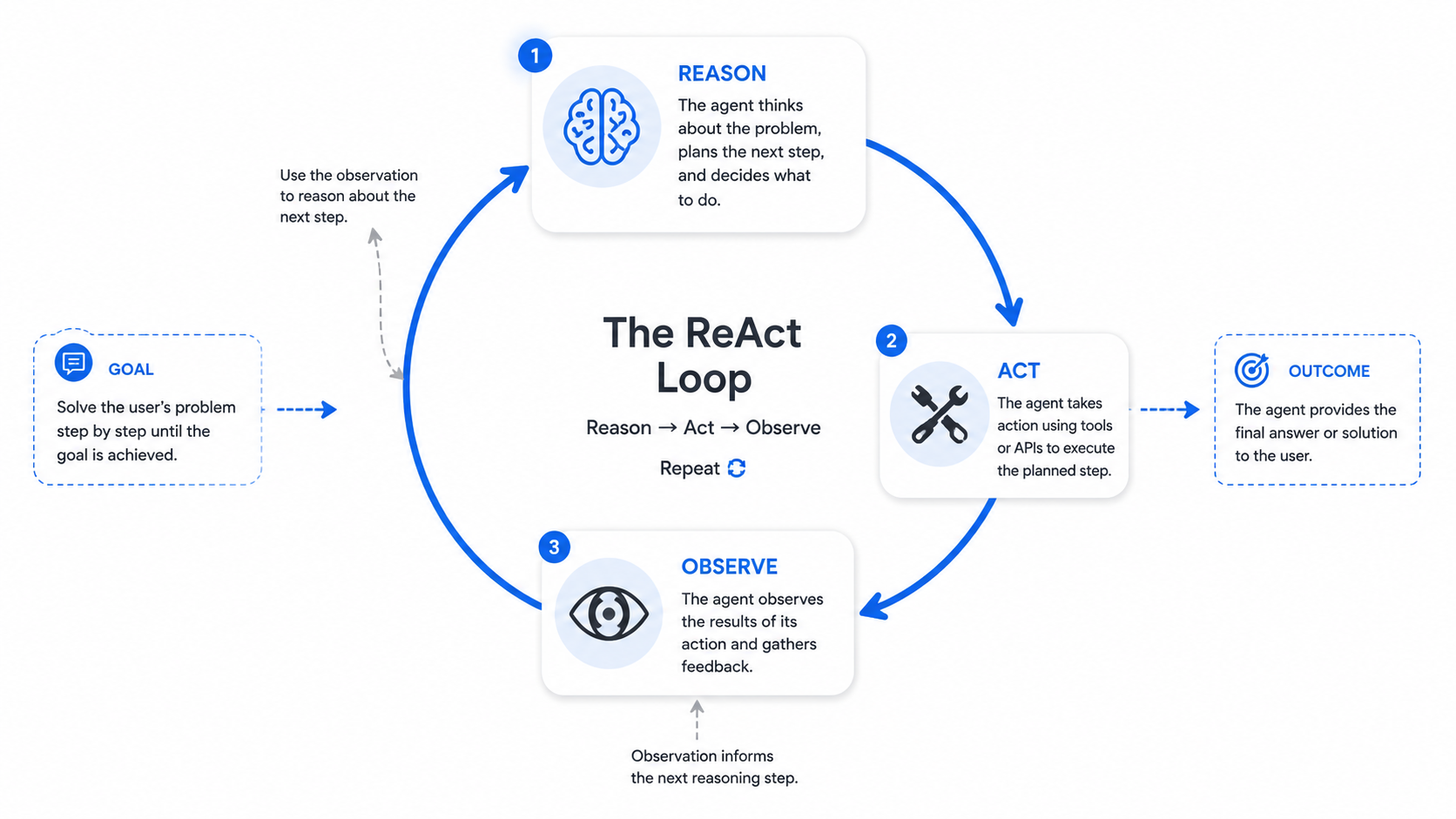
A practical ReAct agent usually follows a simple loop:
1 Reason
The agent decides what it currently knows, what is missing, and what the next useful step should be.
2 Act
The agent calls a tool or performs an operation, such as searching, reading, writing, executing code, clicking a page, querying a database, or running a test.
3 Observe
The agent looks at the result and uses that feedback to decide the next step.
This is why ReAct agents are useful for tasks where the answer cannot be guessed from memory.
For example, if a user says:
“Find out why login is failing in this project and fix it.”
A ReAct-style agent should not guess. It should inspect the project, search for login-related files, read the authentication flow, run tests, change the smallest necessary piece of code, and verify the result.
That is the difference between sounding helpful and actually being helpful.
Why ReAct Agents Work Well
The strength of ReAct is not that the model becomes magically correct. It is that the model gets chances to correct itself.
A single-shot answer depends heavily on the model’s internal knowledge. A ReAct agent can use external reality as a steering signal.
That reality might be:
- a test failure
- an API response
- a file in a repository
- a browser screenshot
- a database result
- a search result
- a user confirmation
Each observation helps narrow the next move.
This makes ReAct a strong fit for software engineering, research assistants, customer support workflows, data analysis, browser automation, internal tools, and operational agents.
Any task that sounds like “figure this out, then do the right thing” probably benefits from a ReAct-style workflow.
ReAct vs Tool Calling
ReAct and tool calling are related, but they are not the same thing.
Basic tool calling often looks like this:
Need information → call one tool → answer
ReAct is more iterative:
Need information
→ call tool
→ inspect result
→ decide next action
→ call another tool
→ verify
→ answer
That distinction becomes important in real systems.
A weather bot may only need one API call. But a coding agent, QA assistant, finance analyst, or deployment helper may need several rounds of investigation before it can act responsibly.
ReAct is less about one function call and more about control flow.
What a ReAct Agent Needs
A practical ReAct agent usually includes these parts:
- a user goal
- short-term working memory
- a list of available tools
- a reasoning or planning step
- a tool executor
- observations from previous actions
- stopping conditions
- error handling
- a final response generator
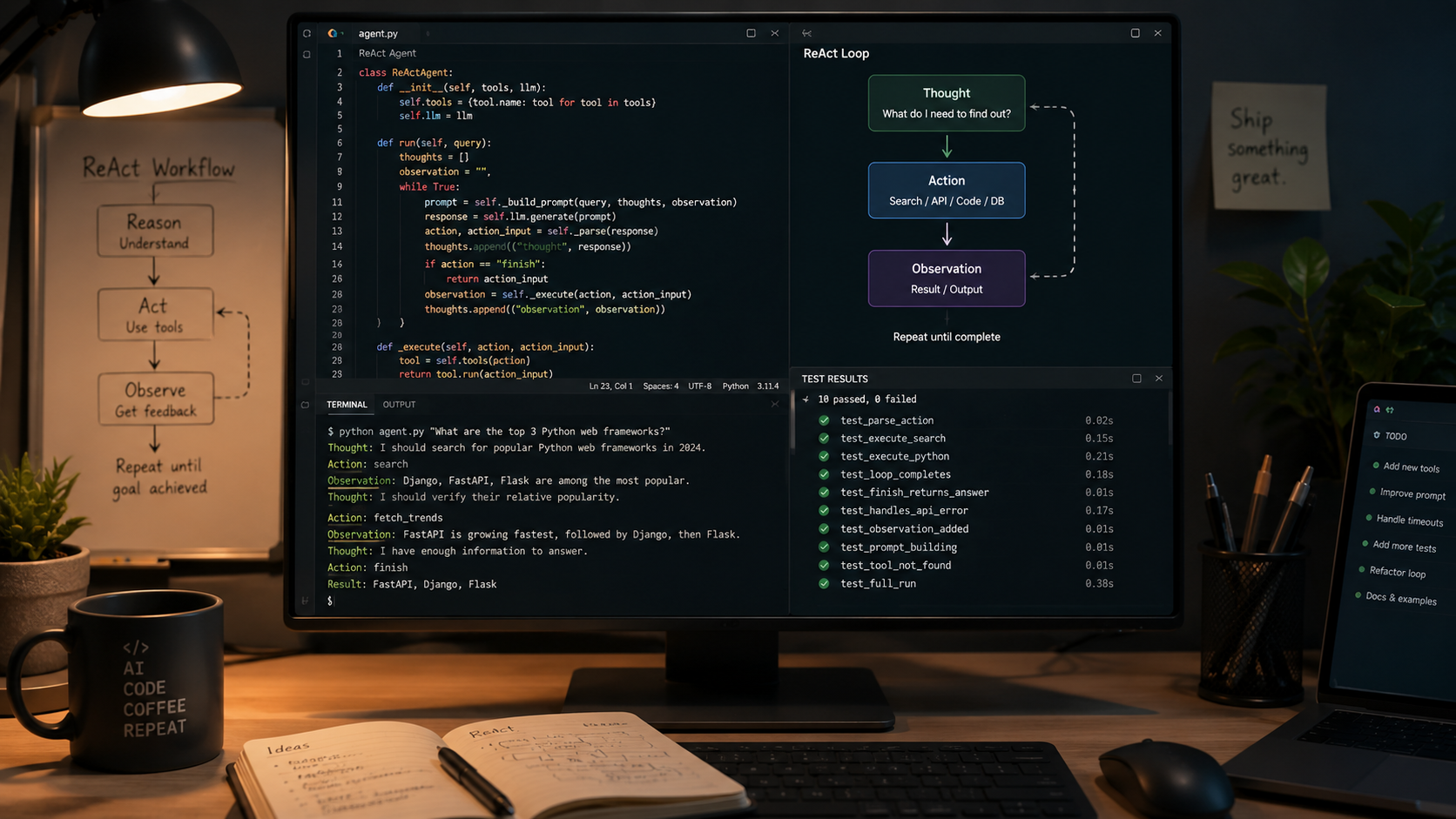
The rough structure looks like this:
while not done:
    context = build_context(goal, history, observations)
    decision = model.decide(context, tools)

    if decision.type == "final":
        return decision.answer

    result = run_tool(decision.tool, decision.args)
    observations.append(result)
This loop is simple, but it creates a lot of power.
It lets the agent handle uncertainty without pretending the uncertainty is not there.
The Hard Part: Boundaries
ReAct agents are powerful, but they need guardrails.
Without limits, an agent can call too many tools, misread results, repeat failed steps, or take actions it should not take. In production, this is where system design becomes more important than clever prompting.
Good ReAct systems usually include:
- maximum step limits
- tool permission rules
- parameter validation
- user approval for sensitive actions
- audit logs
- retry limits
- clear stop conditions
- safe fallback behavior
This matters even more when an agent can modify files, send messages, deploy code, spend money, delete data, or access private systems.
The goal is not to make the agent fearless. The goal is to make it useful without being reckless.
Common Use Cases for ReAct Agents
ReAct agents are especially useful when a task requires multiple steps and feedback from the environment.
Common examples include:
- debugging code
- running tests and fixing failures
- researching technical topics
- comparing software tools
- analyzing data
- browsing websites
- operating internal dashboards
- handling customer support workflows
- calling APIs
- creating reports from multiple sources
The more a task depends on checking, adjusting, and verifying, the more useful the ReAct pattern becomes.
FAQ
What does ReAct mean in AI?
ReAct means Reasoning + Acting. It describes an AI agent pattern where a language model reasons about what to do next, takes an action through a tool, observes the result, and continues until the task is complete.
Is ReAct the same as tool calling?
No. Tool calling is usually a single capability: the model can call an external function. ReAct is a broader workflow pattern where the model repeatedly reasons, acts, observes, and adjusts.
Why are ReAct agents useful?
ReAct agents are useful because they can work with external information instead of relying only on the model’s memory. They can inspect real data, use tools, recover from mistakes, and verify progress.
What are the risks of ReAct agents?
The main risks are excessive tool use, incorrect interpretation of tool results, poor stopping conditions, and unsafe actions. Production systems need permissions, limits, logging, validation, and user approval for sensitive steps.
The Big Picture
ReAct is one of the simplest ideas in agent design, but it changes the role of the model.
The model stops being only a responder. It becomes a coordinator.
It can reason about the current state, choose an action, learn from the result, and keep going until the job is done. That makes it a natural foundation for AI systems that need to work with messy, changing, real-world information.
The best way to understand ReAct is not as a prompt trick. It is a workflow pattern:
Think, act, observe, adjust.
That is how humans do a lot of practical work.
And it turns out to be a pretty good way for AI agents to work too.