
Best Local LLMs for 8GB VRAM GPU in 2026: Ollama GPU Fit Test
I tested four local Ollama models on an NVIDIA GPU and measured both tokens per second and peak GPU memory delta. The short answer: use qwen3:4b when you want a fast, safe default. Use qwen3.5:9b when you want a stronger text model and can keep the GPU mostly free. Do not treat 12B as a clean 8GB default.
Last updated
2026-06-17
Test record
This GPU-fit test record explains the 8GB VRAM budget method, reports peak memory delta, includes screenshots and FAQ, and links the result back to the scoring methodology.
Review methodologyFastest safe pick
qwen3:4b
319.00 tokens/s - 3.24GB peak delta
Upper text pick
qwen3.5:9b
173.48 tokens/s - 6.66GB peak delta
Boundary
gemma4:12b
8.55GB peak delta
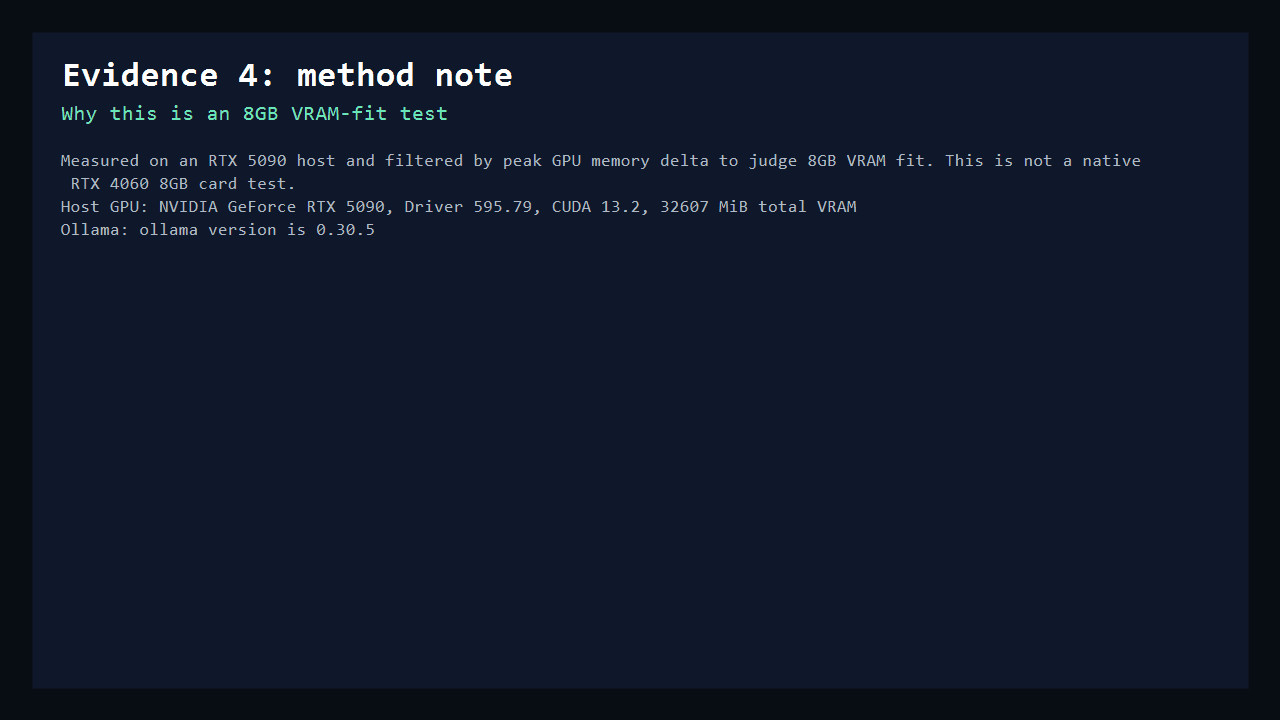
This is an 8GB VRAM-fit test, not a fake 8GB card review.
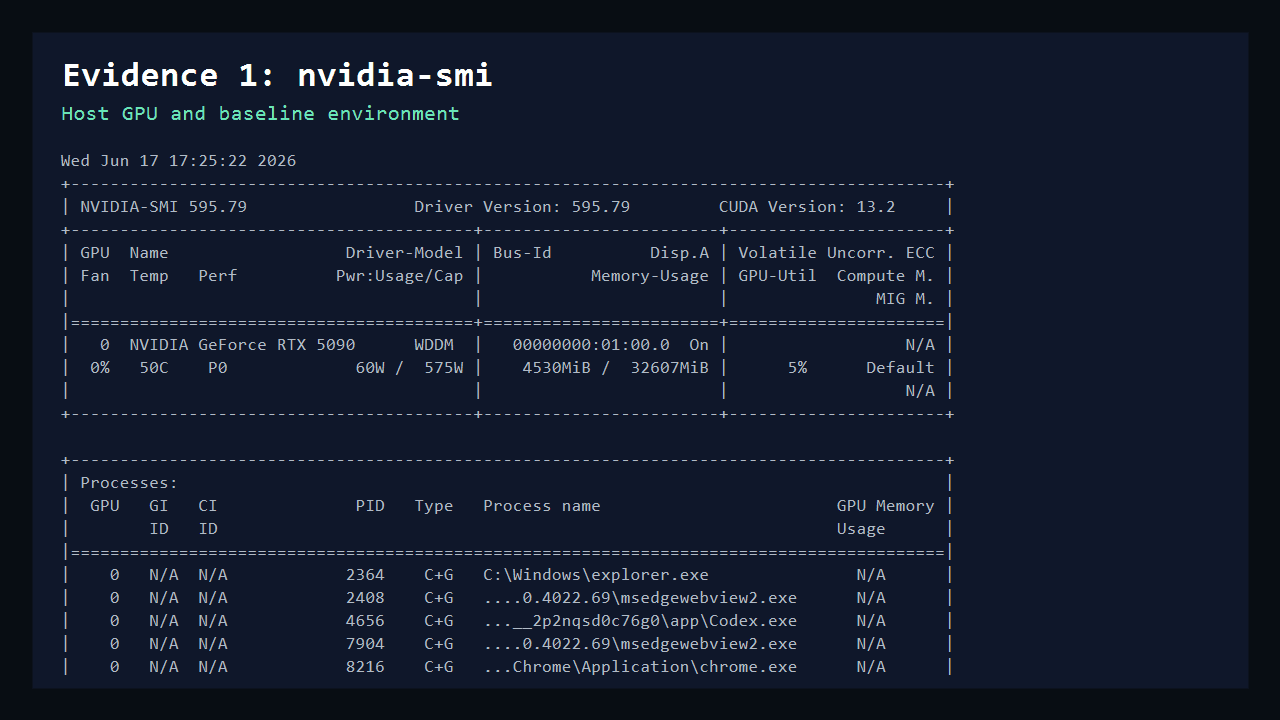
The machine I tested on has an RTX 5090 with 32GB VRAM. I did not pretend it was an RTX 4060. Instead, I measured the peak GPU memory delta for each model and judged whether that extra memory would fit inside an 8GB VRAM budget. This is useful for model shortlisting, but a real 8GB display card may have less practical headroom because the desktop, browser, drivers, and monitor already consume VRAM.
Host GPU
NVIDIA GeForce RTX 5090, Driver 595.79, CUDA 13.2
Budget rule
Peak GPU memory delta should stay below 8GB, preferably below 7GB.
Prompt settings
num_ctx=2048, num_predict=160, temperature=0.
Field notes from the run
The practical winner is the model with room left over.
The point of this GPU test is not to crown the largest possible model. It is to find the model that still leaves room for the desktop, browser, context growth, repeated turns, and the next app you forgot was using VRAM.
4B is the calm default
qwen3:4b left enough memory headroom that I would use it as the first install on a real 8GB display GPU.
9B is the useful stretch
qwen3.5:9b looked like the upper text-model pick when the GPU is mostly free, but it is not the model I would test first.
Vision changes the risk profile
qwen3-vl:8b fit the budget more tightly. Image inputs and longer context can move it from acceptable to uncomfortable.
12B crossed the budget
gemma4:12b generated output, but the 8.55GB peak delta is exactly why file size alone is a bad purchase signal.
8GB VRAM is really a 4B to 9B comfort zone, not a 12B guarantee.
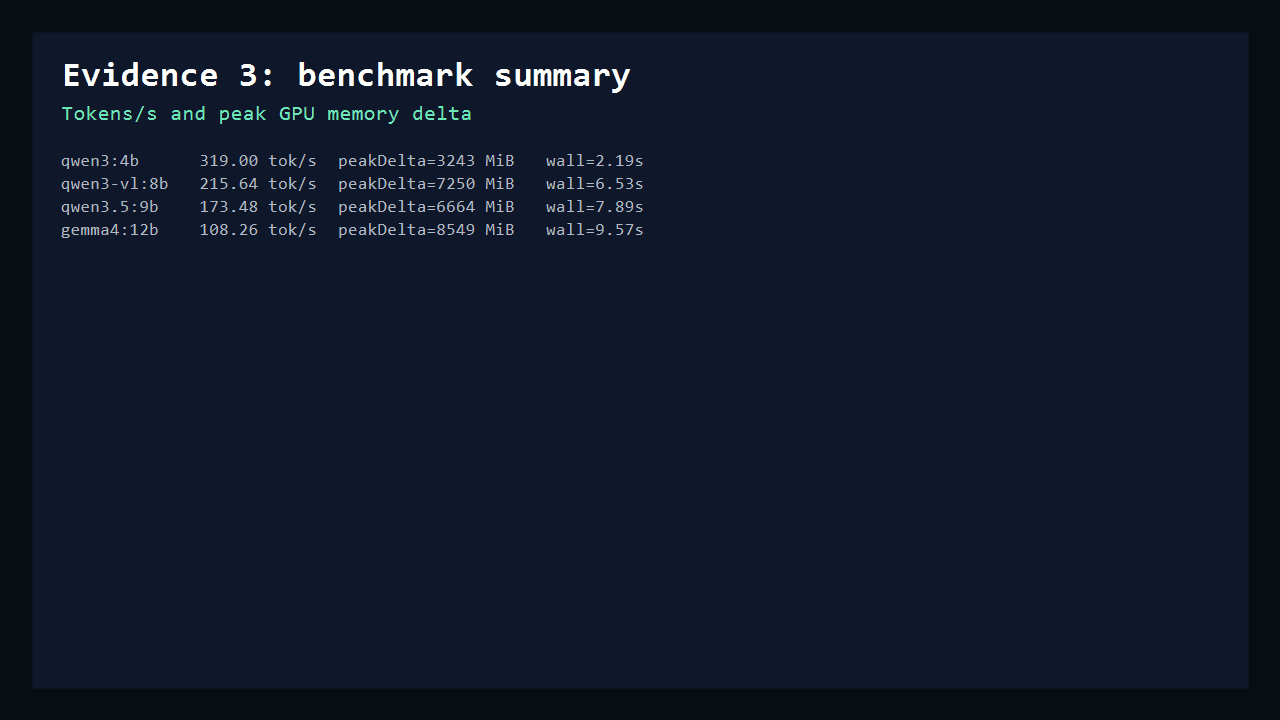
All four models generated tokens, but not all four are good 8GB GPU defaults. The practical split is simple: qwen3:4b is the no-drama model, qwen3.5:9b is the stronger text pick, qwen3-vl:8b is possible but tight, and gemma4:12b crosses the 8GB budget in this run.
| Model | Ollama size | Tokens/s | Peak GPU delta | Wall time | Verdict |
|---|---|---|---|---|---|
| qwen3:4b | 2.5 GB | 319.00 | 3.24 GB | 2.19s | Fastest safe pick |
| qwen3.5:9b | 6.6 GB | 173.48 | 6.66 GB | 7.89s | Best upper text pick |
| qwen3-vl:8b | 6.1 GB | 215.64 | 7.25 GB | 6.53s | Works, but tight |
| gemma4:12b | 7.6 GB | 108.26 | 8.55 GB | 9.57s | Over 8GB budget |
Raw benchmark JSON is available at benchmark-results.json. I report peak GPU memory delta instead of total GPU memory because the Windows desktop already used VRAM before any model was loaded.
Start with qwen3:4b, then decide whether 9B is worth the extra memory.
For an 8GB GPU, I would not start by hunting the largest model that barely fits. I would install the fast 4B model first, test my real prompt, then try the 9B model only if the answer quality is meaningfully better. The 8B vision model is interesting, but 7.25GB peak delta leaves very little room on a display GPU.
Safe first run
ollama run qwen3:4bStronger text test
ollama run qwen3.5:9bVision stretch
ollama run qwen3-vl:8bThe file size is not the same as the runtime memory budget.
The most common 8GB VRAM mistake is looking only at the downloaded model size. Runtime memory also includes KV cache, prompt context, framework overhead, and the rest of your desktop. That is why a model with a 7.6GB Ollama size can still be a bad 8GB default.
Leave real headroom
Treat 7GB peak delta as the practical comfort ceiling on a display GPU.
Keep context modest
This test used 2048 context. Larger context can change the fit quickly.
Retest your prompt
A coding prompt, vision prompt, or long chat may move the memory peak.
Reproduce the same style of test
The simplest local command sequence
nvidia-smi
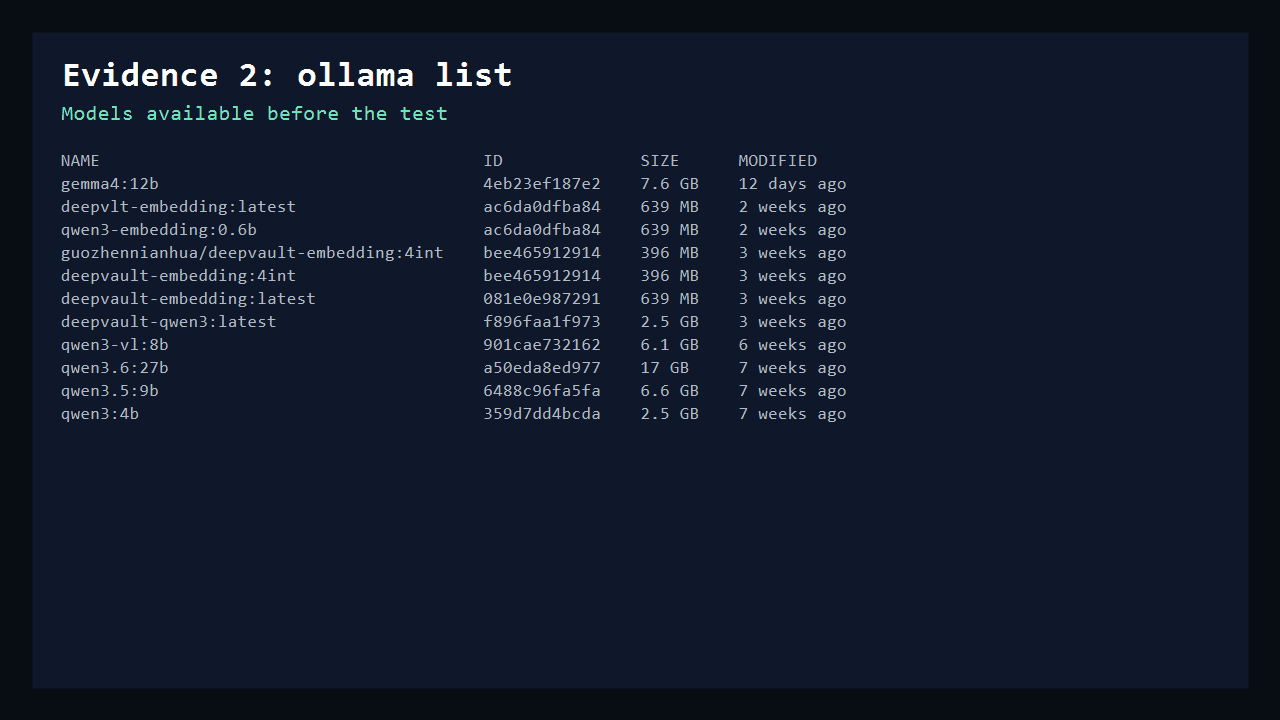
ollama list
ollama run qwen3:4b
nvidia-smi --query-gpu=memory.used --format=csv,noheader,nounits
ollama stop qwen3:4b
For a more careful test, sample nvidia-smi repeatedly while the model is generating, then compare baseline memory against peak memory. That peak delta is what I used for the 8GB budget decision in this article.
FAQ
Practical 8GB VRAM local LLM questions
What is the best local LLM for an 8GB VRAM GPU?
For the safest daily text workflow in this test, qwen3:4b is the easiest recommendation because it used only about 3.24GB of peak GPU memory delta and generated 319 tokens/s. If you want a stronger text model and can keep the GPU mostly free, qwen3.5:9b was the best upper-range pick at 173.48 tokens/s and about 6.66GB peak delta.
Can an 8GB GPU run 12B local models?
Not comfortably in this test. gemma4:12b generated text, but the measured peak GPU memory delta was about 8.55GB, which is already over an 8GB VRAM budget before display memory, drivers, browser windows, or larger context settings are considered.
Why measure peak GPU memory delta instead of total GPU memory used?
This Windows desktop already had several GB of GPU memory in use before the model loaded. The useful signal is the extra GPU memory the model needed during generation. The article still reports that limitation clearly because a real 8GB display GPU has less practical headroom than a clean server GPU.
Should I use the fastest model or the biggest model that fits?
Use the smallest model that handles your real prompt well. On 8GB VRAM, the biggest model that barely fits can lose to a smaller model once context length, browser memory, heat, and repeated turns are part of the workflow.
What local LLM size should I install first on 8GB VRAM?
Start with a 4B-class model if you want a safe daily text workflow. Then test a 9B model only if your prompts, context length, display memory, and other GPU apps still leave enough headroom.
Is 8GB VRAM enough for vision local models?
It can run some vision-capable models, but vision prompts, image inputs, and longer context can raise memory use quickly. Treat vision workloads as a separate test instead of assuming the text benchmark will hold.
More local LLM hardware guides
Best Local LLMs for 8GB RAM in 2026: Ollama, LM Studio, and Model Picks
Practical local LLM picks for 8GB laptops and CPU-only machines.
Best Local LLMs for 16GB RAM in 2026: Ollama and LM Studio Picks
Balanced local LLMs for 16 GB laptops and MacBooks.
Best Local LLMs for 32GB RAM in 2026: 7B, 8B, and 14B Picks
Stronger local LLMs for 32 GB RAM systems.
Best Local LLMs for RTX 5090 in 2026: 32 GB VRAM Picks
Top-end single-GPU local LLM picks for 32 GB VRAM RTX 5090 builds.
Best Local LLMs for RTX 5080 in 2026: 16 GB VRAM Picks
Practical local LLM picks for 16 GB VRAM RTX 5080 systems.
Best Local LLMs for RTX 5070 Ti in 2026: 16 GB VRAM Picks
Balanced 16 GB VRAM local LLM picks for RTX 5070 Ti machines.
Best Local LLMs for RTX 5070 in 2026: 12 GB VRAM Picks
12 GB VRAM local LLM picks for RTX 5070 desktop builds.
Best Local LLMs for RTX 5060 Ti 16GB in 2026: 16 GB VRAM Picks
16 GB VRAM local LLM picks for RTX 5060 Ti 16GB systems.
Best Local LLMs for RTX 5060 Ti 8GB in 2026: 8 GB VRAM Picks
8 GB VRAM local LLM picks for RTX 5060 Ti 8GB systems.
Best Local LLMs for RTX 5060 in 2026: 8 GB VRAM Picks
8 GB VRAM local LLM picks for RTX 5060 systems.
Best Local LLMs for RTX 4090 in 2026: 24GB VRAM Picks
High-performance local LLMs for 24 GB VRAM RTX 4090 builds.
Best Local LLMs for RTX 4080 in 2026: 16 GB VRAM Picks
16 GB VRAM local LLM picks for RTX 4080 and RTX 4080 Super systems.
Best Local LLMs for RTX 4070 Ti Super in 2026: 16 GB VRAM Picks
16 GB VRAM local LLM picks for RTX 4070 Ti Super desktops.
Best Local LLMs for RTX 4070 Ti in 2026: 12 GB VRAM Picks
12 GB VRAM local LLM picks for RTX 4070 Ti builds.
Best Local LLMs for RTX 4070 in 2026: 12 GB VRAM Picks
12 GB VRAM local LLM picks for RTX 4070 and RTX 4070 Super systems.
Best Local LLMs for RTX 4060 Ti 16GB in 2026: 16 GB VRAM Picks
16 GB VRAM local LLM picks for RTX 4060 Ti 16GB systems.
Best Local LLMs for RTX 4060 Ti 8GB in 2026: 8 GB VRAM Picks
8 GB VRAM local LLM picks for RTX 4060 Ti 8GB systems.
Best Local LLMs for RTX 4060 in 2026: 8 GB VRAM Picks
8 GB VRAM local LLM picks for RTX 4060 systems.
Best Local LLMs for RTX 3090 in 2026: 24 GB VRAM Picks
24 GB VRAM local LLM picks for RTX 3090 workstations.
Best Local LLMs for RTX 3080 in 2026: 10 GB VRAM Picks
10 GB VRAM local LLM picks for RTX 3080 systems.
Best Local LLMs for RTX 3070 in 2026: 8 GB VRAM Picks
8 GB VRAM local LLM picks for RTX 3070 systems.
Best Local LLMs for RTX 3060 Ti in 2026: 8 GB VRAM Picks
8 GB VRAM local LLM picks for RTX 3060 Ti systems.
Best Local LLMs for RTX 3060 in 2026: 12 GB VRAM Picks
12 GB VRAM local LLM picks for RTX 3060 systems.
Best Local LLMs for MacBook in 2026: Apple Silicon Picks
MacBook-friendly local LLMs for Apple Silicon unified memory.