
AI Coding Tools
Claude Code Agent Teams Guide
A practical Claude Code agent teams guide for enabling experimental teams, choosing teammates, shared tasks, models, hooks, cleanup, and safe parallel work.
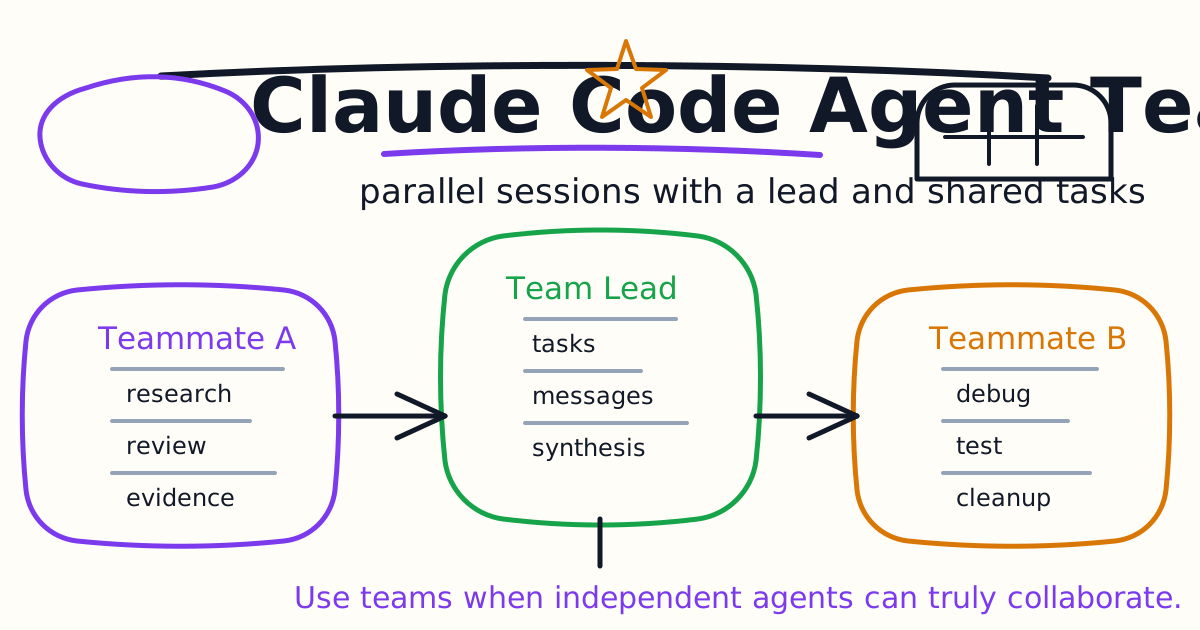
Claude Code agent teams let multiple Claude Code sessions work together. One session acts as the team lead. Teammates work independently, maintain their own context windows, share a task list, and can message each other directly.
This guide explains when agent teams make sense, how they differ from subagents, how to enable the experimental feature, how to structure a first team, how teammate models and plan approval work, and how to keep parallel work from turning into a messy diff.
Quick Answer
Use Claude Code agent teams when the work benefits from independent parallel exploration. Good uses include:
- Parallel code review.
- Competing debugging hypotheses.
- Cross-layer feature planning.
- Independent module work.
- Architecture evaluation from multiple perspectives.
- Research that needs challenge and synthesis.
Do not use agent teams for small sequential edits, same-file changes, simple bug fixes, or tasks where every step depends on the previous step. Agent teams add coordination overhead and use more tokens than one session or one subagent.
Agent Teams Are Experimental
Agent teams are experimental and disabled by default. Enable them by setting:
{
  "env": {
    "CLAUDE_CODE_EXPERIMENTAL_AGENT_TEAMS": "1"
  }
}
You can also set the environment variable in your shell:
export CLAUDE_CODE_EXPERIMENTAL_AGENT_TEAMS=1
Claude Code agent teams require Claude Code v2.1.32 or later. Check your version:
claude --version
Because this is an experimental feature, expect rough edges around resuming sessions, shutdown behavior, task coordination, and terminal display. Use it first on low-risk work.
Agent Teams vs Subagents
Subagents and agent teams both enable parallel work, but the workflow is different.
| Question | Subagents | Agent Teams |
|---|---|---|
| Where do workers live? | Inside one session | Separate Claude Code sessions |
| Communication | Report back to caller | Teammates message each other |
| Coordination | Main agent manages work | Shared task list and team lead |
| Best for | Focused side tasks | Collaborative multi-part work |
| Token cost | Lower | Higher |
| Human interaction | Mostly with main session | You can talk to teammates directly |
Use subagents when you only need the result. Use agent teams when workers need to compare findings, challenge each other, or coordinate across different parts of a larger task.
For focused delegation, read the Claude Code Subagents Guide.
Start Your First Agent Team
After enabling agent teams, ask Claude to create a team with explicit roles:
Create an agent team to review this authentication refactor.
Use three teammates:
1. security reviewer
2. test coverage reviewer
3. backward compatibility reviewer

Each teammate should inspect independently, then the lead should synthesize the top risks.
Do not edit files.
This is a good first task because each teammate can work independently. Nobody needs to modify files, and the final output is a small review summary.
For implementation work, be more careful:
Create an agent team to plan the dashboard redesign.
One teammate owns frontend structure, one owns API impact, and one owns test strategy.
Require plan approval before any teammate edits files.
Plan approval matters when the work could create overlapping edits.
Control Teammates
The team lead coordinates work. You can tell the lead what you want in normal language:
Ask the test teammate to focus only on changed behavior.
Ask the security teammate to ignore style and check auth boundaries.
Agent teams support display modes:
- In-process: teammates run inside the main terminal. You can cycle through them.
- Split panes: teammates appear in separate panes through supported terminal tooling.
To force in-process mode:
claude --teammate-mode in-process
In-process mode is the easiest first setup because it needs less terminal configuration.
Specify Teammates And Models
Claude can decide how many teammates to create, but explicit roles are usually better:
Create a team with 4 teammates:
- frontend reviewer
- backend reviewer
- test strategist
- release risk reviewer
Use Sonnet for each teammate.
Teammates do not always inherit the lead model automatically. If model choice matters, say it in the prompt or configure the default teammate model in Claude Code settings.
Use cheaper or faster models for broad research. Use stronger models for security review, architecture tradeoffs, and tricky debugging.
Require Plan Approval
For risky work, require teammates to plan before editing:
Spawn a backend teammate to refactor the billing route.
Require plan approval before they make any changes.
Only approve plans that preserve existing API behavior and include tests.
The teammate works in read-only plan mode first. The lead reviews the plan and approves or rejects it. To shape the lead's judgment, include approval criteria:
- Must include test coverage.
- Must avoid database schema changes.
- Must not touch production secrets.
- Must preserve public API names.
- Must keep edits in assigned files.
Plan approval is not a substitute for human review, but it reduces blind parallel edits.
Shared Task List
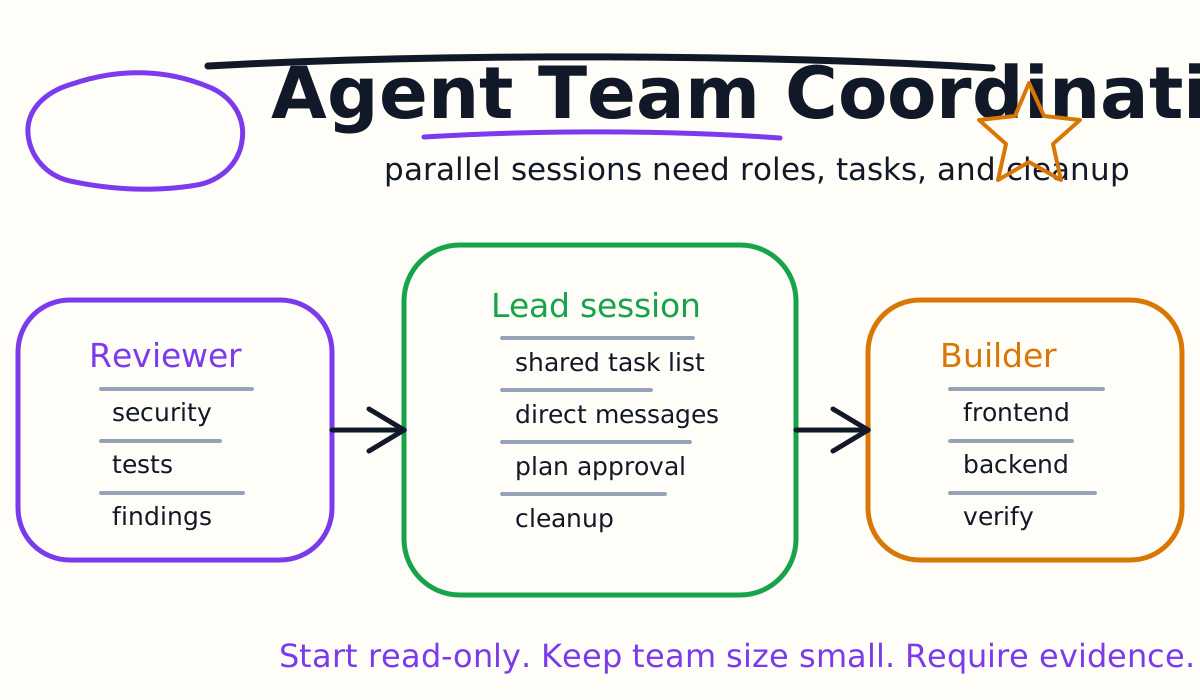
Agent teams coordinate with a shared task list. Tasks can be pending, in progress, or completed. Tasks can also depend on other tasks.
This makes agent teams better than a loose group chat for parallel work. The lead can assign tasks to specific teammates, or teammates can claim unblocked tasks after finishing their current work.
Good task design:
- One task has one owner.
- File ownership is explicit.
- Dependencies are named.
- Verification is part of the task.
- Completion requires evidence.
Bad task design:
- "Improve the backend."
- "Clean up everything."
- "Make it production ready."
- "Everyone look at the same files."
- "Fix whatever you find."
Parallel agents magnify ambiguity. Clear task boundaries matter more, not less.
Use Subagent Definitions As Teammate Roles
Agent teams can reference existing subagent definitions. That lets you define a role once and reuse it as a teammate.
Example:
Spawn a teammate using the security-reviewer agent type to audit the auth module.
The teammate can use the subagent definition's instructions, tool limits, and model. This is useful for teams that already maintain project or user subagents.
There is one important distinction: teammate coordination tools remain available, and not every subagent frontmatter field applies the same way in a team context. Treat the subagent definition as reusable role guidance, not a full replacement for team instructions.
Quality Gates With Hooks
Hooks can enforce team rules when teammates create tasks, complete tasks, or go idle.
Useful team hooks include:
- Block task completion unless verification is described.
- Reject vague task titles.
- Keep a teammate working when the report lacks file paths.
- Require a risk summary before completion.
- Prevent tasks that touch forbidden paths.
For hook basics, see the Claude Code Hooks Guide.
Quality hooks are especially useful with agent teams because more workers means more chances for someone to mark a task done too early.
Cleanup And Shutdown
When work is done, ask the lead to shut down teammates and clean up:
Ask each teammate to summarize final status, then shut down.
Clean up the team after all teammates stop.
The lead should handle cleanup. Teammates should not run cleanup themselves because they may not have the right team context.
Cleanup matters because team state is stored locally while active. The team lead manages resources such as task lists and team configuration. Do not hand-edit those generated files.
Best First Workflows
Start with read-only workflows:
- Parallel code review.
- Security review plus test review.
- Competing root-cause analysis.
- Architecture tradeoff review.
- Migration plan critique.
Move to implementation only after you are comfortable with task assignment, model choice, plan approval, and cleanup.
When implementation begins, split by ownership:
Create an agent team for this feature.
Frontend teammate owns only app/dashboard files.
Backend teammate owns only api/dashboard files.
Test teammate owns only tests/dashboard files.
Require plan approval before edits.
If two teammates need the same files, make one teammate the owner and have the other review.
Common Mistakes
The first mistake is using agent teams for ordinary single-threaded work. If one agent can do it cleanly, use one agent.
The second mistake is spawning too many teammates. Start with two or three.
The third mistake is vague ownership. Parallel work needs explicit file and responsibility boundaries.
The fourth mistake is skipping cleanup. Ask the lead to shut down and clean up when finished.
The fifth mistake is treating teammate output as proof. Evidence still means files, diffs, tests, logs, and review.
Final Recommendation
Use Claude Code agent teams for work where independent perspectives are valuable: review, research, debugging hypotheses, and cross-layer planning. Start read-only, keep team size small, require plan approval for risky edits, and make the lead synthesize evidence before you act.
Agent teams are not a default coding mode. They are a high-leverage option for tasks where multiple independent contexts can produce a better decision than one crowded conversation.
Related Claude Code Tutorials
- Claude Code Quick Start
- Claude Code Subagents Guide
- Claude Code Plugins Guide
- Claude Code Skills and Slash Commands Guide
- Claude Code Hooks Guide
- Claude Code MCP Guide
- Claude Code GitHub Actions Guide
- Codex vs Claude Code
Official Sources
Decision Checklist For Claude Code Agent Teams Guide
Use this guide as a decision filter before a sales call, trial, or migration plan. For Claude Code Agent Teams Guide, the practical question is whether the topic connects Claude Code agent teams, Claude Code parallel agents, AI coding agents to a measurable workflow outcome. A good decision should improve delivery speed, quality, cost control, or operational confidence without creating hidden review, security, or migration work.
- Generated changes survive code review with fewer rewrites, fewer broad diffs, and fewer style corrections.
- The assistant understands multi-file context, tests, build failures, private repository rules, and local conventions.
- Administrators can manage seats, data controls, policy settings, and usage visibility without blocking developers.
Pilot Plan
A useful pilot is small enough to finish quickly but realistic enough to expose integration, data, workflow, and pricing issues. Avoid demo-only tests. The trial should use real tasks, real constraints, and a baseline from the current process so the team can decide with evidence instead of impressions.
- Give each candidate the same bug fix, failing-test repair, refactor, and explanation task.
- Track accepted diffs, reviewer comments, rework time, test pass rate, and developer satisfaction.
- Run the trial with senior maintainers and newer engineers because the value pattern is different for each group.
Metrics To Track
Track metrics that connect Claude Code Agent Teams Guide to outcomes a budget owner and an engineering owner can both understand. A tool can look impressive in a demo and still fail if usage is low, quality is uneven, or the cost model changes under real workload volume.
- Accepted AI-assisted diffs, rejected suggestions, reviewer comments, and post-merge fixes.
- Time to repair failing tests, explain unfamiliar modules, and complete safe refactors.
- Seat utilization, premium request exhaustion, and policy exceptions for sensitive repositories.
Budget And Risk Review
Commercially useful AI tooling decisions should include the subscription or API price, but they should also include support load, review time, observability, privacy controls, switching cost, and the cost of wrong or low-quality output. Treat the first estimate as a working model and update it with production evidence.
- Confirm private code handling, training opt-out, data retention, and enterprise policy controls.
- Watch for over-generation: large patches that look productive but increase review cost.
- Compare cost per accepted change rather than cost per seat alone.
Revisit the assistant after 30 days of real pull requests. A useful coding tool should reduce review latency and onboarding friction without increasing risky generated code.
Editorial note
AI Jupyter writes independent guides for technical readers. Product details, pricing, and feature names can change, so readers should verify commercial terms on the official vendor site before buying.
Reviewed by the AI Jupyter Editorial Team.