
AI Coding Tools
Claude Code Hooks Guide
A practical Claude Code hooks guide for notifications, formatters, protected files, PreToolUse, PostToolUse, JSON decisions, HTTP hooks, and safe automation.
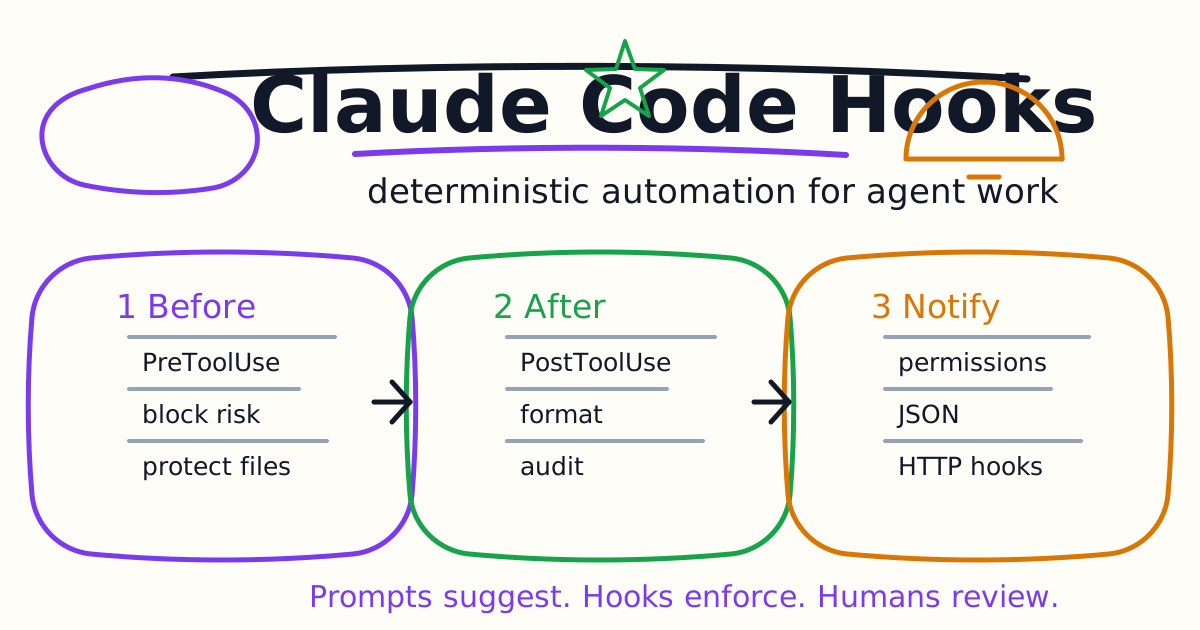
Claude Code hooks let you run deterministic automation around an agent session. Instead of asking Claude to remember to format files, avoid protected paths, notify you, or reload environment variables, you can attach commands to lifecycle events.
This guide explains what Claude Code hooks are, which hooks to start with, how PreToolUse and PostToolUse differ, how JSON decisions work, when HTTP hooks make sense, and how to avoid turning automation into hidden risk.
Quick Answer
Use Claude Code hooks for rules that should always run:
- Notify you when Claude needs attention.
- Format files after edits.
- Block edits to protected files.
- Add context at session start.
- Reload environment variables after directory changes.
- Audit risky configuration edits.
- Auto-approve only very narrow permission prompts.
Do not use hooks as a place for vague judgment. If the decision needs real reasoning, use an agent-based or prompt-based hook carefully, or keep the decision human-reviewed.
What Hooks Are
Hooks are configured commands that run at specific points in Claude Code's lifecycle. They are deterministic. If the event happens and the matcher applies, the hook runs.
That makes hooks different from ordinary prompt instructions. A sentence in CLAUDE.md says what Claude should remember. A hook actually executes a command or returns a decision.
Use this mental model:
CLAUDE.mdexplains project rules.- Settings configure Claude Code behavior.
- Permissions define allowed and denied tools.
- Hooks enforce predictable automation around events.
- MCP connects Claude to external tools.
For persistent context, see the Claude Code Settings and Memory Guide. For external tools, see the Claude Code MCP Guide.
The First Hook To Add
A safe first hook is a notification. It does not alter files and does not approve actions. It simply tells you when Claude needs attention.
The configuration goes in a Claude Code settings file, usually ~/.claude/settings.json for personal hooks or .claude/settings.json for project hooks:
{
  "hooks": {
    "Notification": [
      {
        "matcher": "",
        "hooks": [
          {
            "type": "command",
            "command": "notify-send 'Claude Code' 'Claude Code needs your attention'"
          }
        ]
      }
    ]
  }
}
On Windows or macOS, use the platform-specific notification command from the official docs. The important idea is the event, not the notification tool.
After editing settings, run:
/hooks
The hooks browser is read-only, but it confirms whether Claude Code sees the hook and which event it belongs to.
PreToolUse vs PostToolUse
The most important hook distinction is before vs after.
PreToolUse fires before a tool call executes. Use it to block or modify actions before damage can happen.
Good PreToolUse examples:
- Block edits to
.env. - Block writes under
.git/. - Block destructive shell commands.
- Require a safer command form.
- Deny access to production-only paths.
PostToolUse fires after a tool call executes. Use it for cleanup, formatting, logging, or follow-up feedback.
Good PostToolUse examples:
- Run Prettier after
EditorWrite. - Log modified files.
- Warn Claude that a formatter changed output.
- Run a small validator after a generated file is edited.
Do not use PostToolUse to prevent a dangerous action. It is too late. If the action must be stopped, use PreToolUse or permission deny rules.
Block Protected Files
Protected file hooks are useful because agents often work quickly across a repository. You may want Claude to read a file but never edit it.
A common pattern is a small script:
#!/bin/bash
INPUT=$(cat)
FILE_PATH=$(echo "$INPUT" | jq -r '.tool_input.file_path // empty')

PROTECTED_PATTERNS=(".env" ".git/" "secrets/" "cert/")

for pattern in "${PROTECTED_PATTERNS[@]}"; do
  if [[ "$FILE_PATH" == *"$pattern"* ]]; then
    echo "Blocked: $FILE_PATH matches protected pattern '$pattern'" >&2
    exit 2
  fi
done

exit 0
Then register it:
{
  "hooks": {
    "PreToolUse": [
      {
        "matcher": "Edit|Write",
        "hooks": [
          {
            "type": "command",
            "command": ".claude/hooks/protect-files.sh"
          }
        ]
      }
    ]
  }
}
The matcher keeps the hook focused on file editing tools. Narrow matchers are easier to debug than broad hooks that fire constantly.
Use JSON Decisions Carefully
Simple hooks can communicate through exit codes. A successful command exits 0. A blocking hook can exit 2 with an explanation. For finer control, return structured JSON.
JSON output is useful when you want to:
- Add context for Claude.
- Block with a structured reason.
- Allow or deny a permission request.
- Change a permission mode for the current session.
- Return event-specific fields.
For example, a very narrow PermissionRequest hook can auto-approve ExitPlanMode:
{
  "hooks": {
    "PermissionRequest": [
      {
        "matcher": "ExitPlanMode",
        "hooks": [
          {
            "type": "command",
            "command": "echo '{\"hookSpecificOutput\":{\"hookEventName\":\"PermissionRequest\",\"decision\":{\"behavior\":\"allow\"}}}'"
          }
        ]
      }
    ]
  }
}
Do not use an empty matcher to auto-approve every permission prompt. That would treat file writes, shell commands, and other risky actions as routine. Auto-approve only the exact prompt you understand.
Format After Edits
Formatting hooks are useful because they remove one repetitive step from the agent loop.
{
  "hooks": {
    "PostToolUse": [
      {
        "matcher": "Edit|Write",
        "hooks": [
          {
            "type": "command",
            "command": "jq -r '.tool_input.file_path' | xargs npx prettier --write"
          }
        ]
      }
    ]
  }
}
Before adding this to a large repository, test it in one package. Formatting every edited file is usually fine. Formatting a whole repository on every edit is noisy and slow.
A good formatter hook should:
- Run only on edited files.
- Handle missing tools gracefully.
- Avoid generated directories.
- Avoid huge file rewrites.
- Leave verification to a separate command or human review.
Reload Environment Variables
Some projects use direnv, devbox, nix, or similar tooling to load environment variables when directories change. Claude Code's shell may not automatically inherit every directory-specific environment update.
Hooks can update the environment preamble through events such as SessionStart, CwdChanged, or FileChanged. This is useful when different subprojects need different environment variables or runtime setup.
Use this pattern only when your team already understands the environment tool. A hook that silently changes shell environment is powerful. Document it in CLAUDE.md so future users know why commands behave differently in Claude Code than in a normal terminal.
HTTP Hooks
Command hooks run local commands. HTTP hooks POST event data to an endpoint.
Use HTTP hooks when the hook logic belongs in a shared service:
- Team-wide audit logging.
- A central policy service.
- Notification routing.
- Security review instrumentation.
- Cross-repository metrics.
A basic shape:
{
  "hooks": {
    "PostToolUse": [
      {
        "hooks": [
          {
            "type": "http",
            "url": "http://localhost:8080/hooks/tool-use",
            "headers": {
              "Authorization": "Bearer $MY_TOKEN"
            },
            "allowedEnvVars": ["MY_TOKEN"]
          }
        ]
      }
    ]
  }
}
Only variables listed in allowedEnvVars are interpolated. That is good. It prevents accidental expansion of unrelated environment variables into outbound HTTP requests.
HTTP status codes alone do not block tool calls. If the endpoint needs to deny an action, it must return the appropriate JSON response body.
Hooks And Permission Modes
Hooks interact with permission modes in an important way. A PreToolUse hook fires before permission-mode checks. If it denies a tool call, it can block the action even when a permissive mode is active. That makes hooks useful for policies users should not bypass casually.
The reverse is not true. A hook that returns allow does not override deny rules from settings. Think of hooks as a way to tighten policy, not a way to weaken hard deny rules.
For teams, this is the right direction. Put non-negotiable boundaries in settings and hooks. Use prompts for guidance, not enforcement.
Debugging Hooks
When a hook does not fire:
- Run
/hooksand confirm the event is listed. - Check that the matcher is case-sensitive and correct.
- Trigger the right event type.
- Restart the session if settings were not reloaded.
- Validate JSON syntax in settings.
- Use absolute paths or
${CLAUDE_PROJECT_DIR}when relative paths are confusing.
When a hook returns invalid JSON, inspect shell startup files. Non-interactive shells can still print unexpected text if a profile script echoes a message. That extra output can break JSON parsing.
When a script fails, test it manually with sample input:
echo '{"tool_name":"Bash","tool_input":{"command":"ls"}}' | .claude/hooks/my-hook.sh
echo $?
If the script depends on jq, Node, Python, or another tool, document that dependency and install it in the environments where Claude Code runs.
Team Rollout Checklist
Before sharing hooks with a team, confirm:
- The hook has one clear purpose.
- It is documented in
CLAUDE.md. - It has a narrow matcher.
- It does not expose secrets.
- It has been tested with sample JSON.
- It fails safely.
- It does not rewrite broad parts of the repository.
- It does not auto-approve risky actions.
- It can be disabled quickly if it blocks work.
Project hooks are code-adjacent automation. Review them with the same seriousness as CI scripts.
Common Mistakes
The first mistake is turning every preference into a hook. Hooks are best for deterministic rules, not taste.
The second mistake is using PostToolUse to handle a risk that needed PreToolUse. If the file write or shell command already happened, the hook can only react.
The third mistake is broad auto-approval. A permission hook should be scoped to a specific tool or prompt, not every request.
The fourth mistake is hiding team policy in a personal settings file. If a rule matters to the repository, document it and decide whether it belongs in project settings.
The fifth mistake is skipping manual tests. A hook script should be tested with sample JSON before it is allowed to interrupt real coding sessions.
Final Recommendation
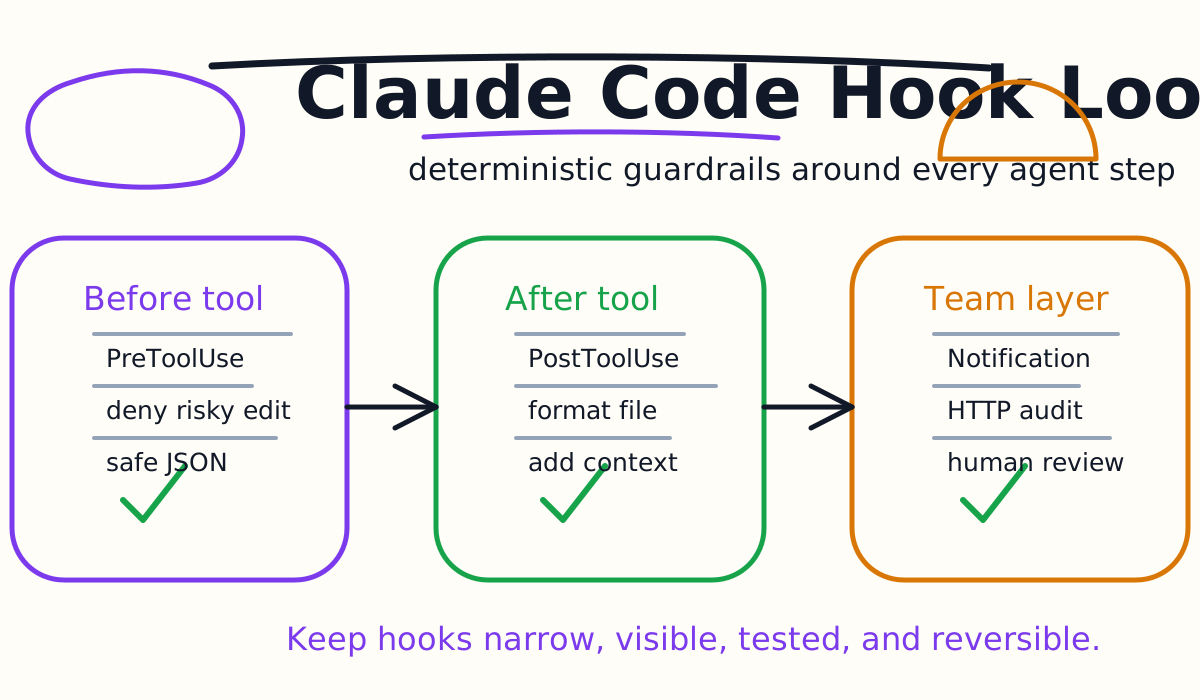
Start Claude Code hooks with three small automations: a notification hook, a protected-file PreToolUse hook, and a formatter PostToolUse hook. Keep each hook narrow and visible. Add HTTP hooks, agent hooks, and permission automation only after you have a clear policy reason.
Good hooks make Claude Code more predictable. They do not replace review, tests, or human judgment. They make the repetitive rules happen every time so the human can focus on the diff that matters.
Related Claude Code Tutorials
- Claude Code Quick Start
- Claude Code CLI Tutorial
- Claude Code Settings and Memory Guide
- Claude Code MCP Guide
- Claude Code Subagents Guide
- Claude Code Skills and Slash Commands Guide
- Claude Code Plugins Guide
- Claude Code Agent Teams Guide
- Claude Code VS Code Tutorial
- Claude Code GitHub Actions Guide
- Codex Permissions and Sandbox Guide
- Codex vs Claude Code
Official Sources
Decision Checklist For Claude Code Hooks Guide
Use this guide as a decision filter before a sales call, trial, or migration plan. For Claude Code Hooks Guide, the practical question is whether the topic connects Claude Code hooks, Claude Code automation, AI coding workflow to a measurable workflow outcome. A good decision should improve delivery speed, quality, cost control, or operational confidence without creating hidden review, security, or migration work.
- Generated changes survive code review with fewer rewrites, fewer broad diffs, and fewer style corrections.
- The assistant understands multi-file context, tests, build failures, private repository rules, and local conventions.
- Administrators can manage seats, data controls, policy settings, and usage visibility without blocking developers.
Pilot Plan
A useful pilot is small enough to finish quickly but realistic enough to expose integration, data, workflow, and pricing issues. Avoid demo-only tests. The trial should use real tasks, real constraints, and a baseline from the current process so the team can decide with evidence instead of impressions.
- Give each candidate the same bug fix, failing-test repair, refactor, and explanation task.
- Track accepted diffs, reviewer comments, rework time, test pass rate, and developer satisfaction.
- Run the trial with senior maintainers and newer engineers because the value pattern is different for each group.
Metrics To Track
Track metrics that connect Claude Code Hooks Guide to outcomes a budget owner and an engineering owner can both understand. A tool can look impressive in a demo and still fail if usage is low, quality is uneven, or the cost model changes under real workload volume.
- Accepted AI-assisted diffs, rejected suggestions, reviewer comments, and post-merge fixes.
- Time to repair failing tests, explain unfamiliar modules, and complete safe refactors.
- Seat utilization, premium request exhaustion, and policy exceptions for sensitive repositories.
Budget And Risk Review
Commercially useful AI tooling decisions should include the subscription or API price, but they should also include support load, review time, observability, privacy controls, switching cost, and the cost of wrong or low-quality output. Treat the first estimate as a working model and update it with production evidence.
- Confirm private code handling, training opt-out, data retention, and enterprise policy controls.
- Watch for over-generation: large patches that look productive but increase review cost.
- Compare cost per accepted change rather than cost per seat alone.
Revisit the assistant after 30 days of real pull requests. A useful coding tool should reduce review latency and onboarding friction without increasing risky generated code.
Editorial note
AI Jupyter writes independent guides for technical readers. Product details, pricing, and feature names can change, so readers should verify commercial terms on the official vendor site before buying.
Reviewed by the AI Jupyter Editorial Team.