
AI Coding Tools
Claude Code GitHub Actions Guide
A practical Claude Code GitHub Actions guide for @claude workflows, issue automation, pull request changes, secrets, permissions, and CI review.
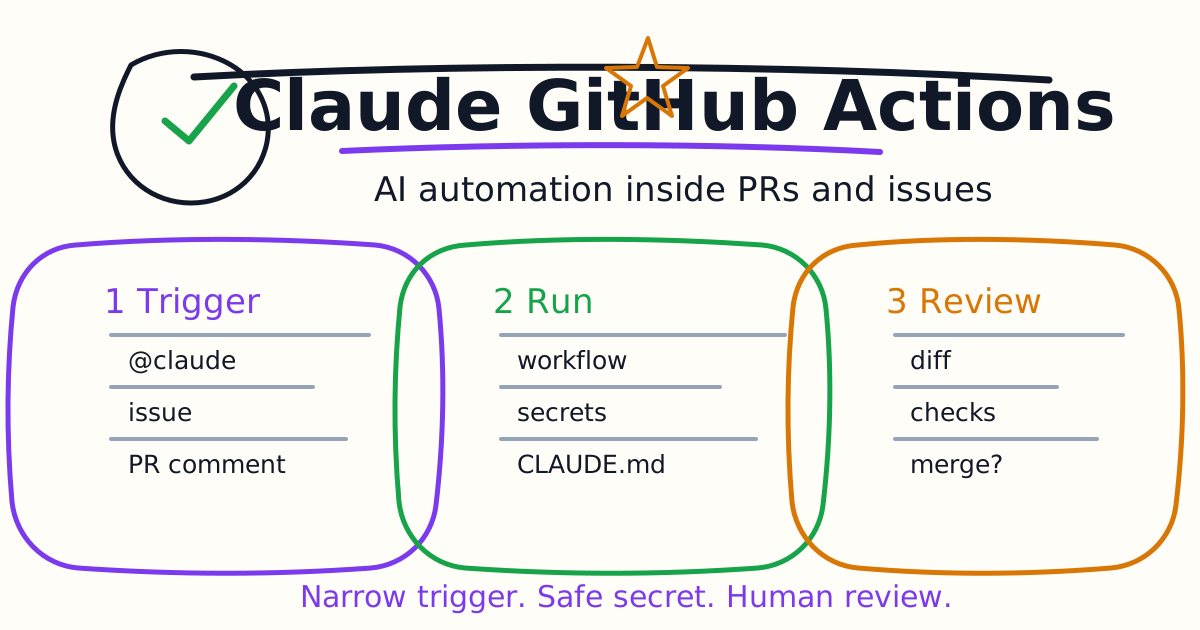
Claude Code GitHub Actions bring Claude Code into GitHub issues, pull requests, and CI workflows. With an @claude mention or a configured workflow, Claude can analyze a request, implement a change, create a pull request, respond to a thread, or help review code while following repository guidance such as CLAUDE.md.
This guide explains when to use Claude Code GitHub Actions, how setup works, what permissions matter, how to write safer prompts, and how to keep AI-generated changes reviewable.
Quick Answer
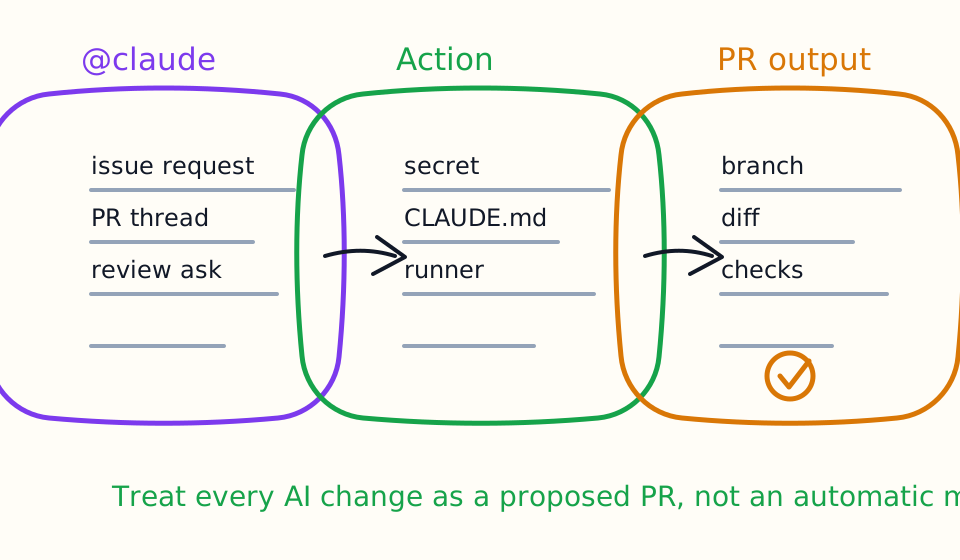
Use Claude Code GitHub Actions when you want Claude to work from GitHub context: issue requests, pull request comments, code review threads, CI automation, and repeatable repository workflows. Start with human-triggered @claude tasks before automatic broad automation.
For a safe first setup:
- Add a concise
CLAUDE.md. - Configure the GitHub app or workflow.
- Store
ANTHROPIC_API_KEYas a GitHub secret if using the manual action path. - Keep permissions narrow.
- Test by tagging
@claudein a low-risk issue or PR. - Review every generated diff before merging.
What Claude Code GitHub Actions Are For
Claude Code GitHub Actions are useful when the development request already lives in GitHub. Instead of copying issue text into a terminal session, you can let the workflow collect the thread, repository context, and instructions, then run Claude Code inside GitHub's runner.
Good use cases:
- Turn a small issue into a pull request.
- Ask Claude to investigate a PR failure.
- Ask for a fix based on a review comment.
- Draft a small documentation update.
- Run custom automation with a prompt.
- Triage issue context before a maintainer starts work.
Avoid using it first for broad architecture changes, production migrations, secrets-heavy work, payment logic, authentication rewrites, or tasks that require manual QA outside CI.
Quick Setup Path
Anthropic's official GitHub Actions docs describe a quick setup path from the terminal:
/install-github-app
Run that inside Claude Code. The setup guides you through installing the GitHub app and required secrets. You need repository admin access to install the app and add secrets.
The GitHub app requests read and write permissions for repository contents, issues, and pull requests. That is powerful. Treat the setup like you would any automation that can push code or comment on PRs.
Manual Setup Path
If quick setup does not fit your environment, the manual path has three core pieces:
- Install the Claude GitHub app for the repository.
- Add
ANTHROPIC_API_KEYas a GitHub Actions secret. - Add a workflow file under
.github/workflows/.
Then test by tagging @claude in an issue or pull request comment.
Manual setup is worth considering when you want tighter review of workflow contents, need to adapt provider configuration, or want to understand exactly what the runner can do before enabling it for a team.
Write CLAUDE.md First
Claude Code GitHub Actions become much more reliable when the repository has a useful CLAUDE.md.
Include:
# CLAUDE.md

Use pnpm.

Before proposing a code change, identify the smallest relevant test.
Before finishing, summarize the verification command and result.

Do not edit generated files in:
- dist/
- coverage/
- .next/
- node_modules/

For pull request work, keep the diff minimal and mention any untested risk.
The goal is not to write a long policy. The goal is to give Claude stable repository rules so every GitHub task does not start from zero.
For more detail, read the Claude Code Settings and Memory Guide.
Prompt Patterns For Issues
A weak issue comment says:
@claude fix this
A stronger one says:
@claude Please investigate the failing password reset test.

Goal: fix the smallest bug related to the failing test.
Constraints: do not change public API names and do not add dependencies.
Done when: the related test passes or you explain why it cannot run in CI.
Claude Code works better when the task has a narrow goal, constraints, and a done condition. GitHub context helps, but it does not replace a clear request.
Prompt Patterns For Pull Requests
Use Claude on PRs when you want implementation help or review help.
For implementation:
@claude Apply the requested validation fix from this review thread.

Keep the patch limited to the validation layer and the closest test.
Do not refactor unrelated code.
For investigation:
@claude Investigate why CI failed on this PR.

Do not edit files yet. Summarize the likely cause, the command that failed, and the smallest fix you recommend.
For review:
@claude review this PR for correctness bugs, missing tests, and behavior outside the stated change. Ignore style-only comments.
If you want automatic managed review on every PR, compare the official Claude Code Review feature with a custom GitHub Action. Managed review and custom action workflows are related but not identical.
Permissions And Secrets
GitHub automation combines three permission systems:
- GitHub app permissions.
- GitHub Actions token permissions.
- Provider secrets such as
ANTHROPIC_API_KEY.
Use the narrowest permissions that support the workflow. Avoid exposing secrets to untrusted fork code. Be especially careful with workflows triggered by pull requests from external contributors.
Good habits:
- Keep secrets in GitHub Secrets, not files.
- Avoid printing secrets in logs.
- Use branch protection.
- Require human review before merge.
- Prefer low-risk test repositories for first setup.
- Review workflow changes like application code.
Good First Workflows
Start with workflows that are easy to review:
- Documentation updates.
- Small test fixes.
- Error message improvements.
- CI failure investigation.
- Issue triage.
- Review comment implementation.
Avoid first workflows where Claude can spend money, change production infrastructure, rotate credentials, modify payment logic, or merge without a human.
Compare With Codex GitHub Action
If you are evaluating OpenAI and Anthropic workflows, compare this page with the Codex GitHub Action Tutorial.
The fair test is one repository and three workflows:
- Review one PR.
- Fix one failing CI check.
- Turn one small issue into a pull request.
Measure accepted diff rate, review comments, CI pass rate, and maintainer corrections. The better workflow is the one that produces the smaller accepted diff with less review friction.
Common Mistakes
The first mistake is enabling broad automation before repository rules are written down. Add CLAUDE.md first.
The second mistake is letting @claude requests stay vague. The mention is only a trigger; the prompt still needs scope and a finish line.
The third mistake is treating generated pull requests as finished work. They are proposed work. Review the diff, the tests, and the summary.
The fourth mistake is ignoring workflow security. GitHub Actions secrets, fork behavior, token permissions, and branch protection all matter.
The fifth mistake is testing on a high-risk repository first. Use a low-risk repository or small issue before making this part of normal engineering.
Bottom Line
Claude Code GitHub Actions are valuable when GitHub is already the center of your engineering workflow. Use them for issues, PR comments, CI investigation, and small implementation tasks. Keep @claude requests narrow, store secrets safely, document project rules in CLAUDE.md, and require human review before merging.
Related AI Coding Agent Tutorials
- Claude Code Quick Start
- Claude Code CLI Tutorial
- Claude Code Settings and Memory Guide
- Claude Code VS Code Tutorial
- Claude Code MCP Guide
- Claude Code Hooks Guide
- Claude Code Subagents Guide
- Claude Code Skills and Slash Commands Guide
- Claude Code Plugins Guide
- Claude Code Agent Teams Guide
- Codex GitHub Action Tutorial
- Codex vs Claude Code
- AI Code Review Tools Evaluation Guide
Official References
Decision Checklist For Claude Code GitHub Actions Guide
Use this guide as a decision filter before a sales call, trial, or migration plan. For Claude Code GitHub Actions Guide, the practical question is whether the topic connects Claude Code GitHub Actions, Claude Code CI, AI code review to a measurable workflow outcome. A good decision should improve delivery speed, quality, cost control, or operational confidence without creating hidden review, security, or migration work.
- Generated changes survive code review with fewer rewrites, fewer broad diffs, and fewer style corrections.
- The assistant understands multi-file context, tests, build failures, private repository rules, and local conventions.
- Administrators can manage seats, data controls, policy settings, and usage visibility without blocking developers.
Pilot Plan
A useful pilot is small enough to finish quickly but realistic enough to expose integration, data, workflow, and pricing issues. Avoid demo-only tests. The trial should use real tasks, real constraints, and a baseline from the current process so the team can decide with evidence instead of impressions.
- Give each candidate the same bug fix, failing-test repair, refactor, and explanation task.
- Track accepted diffs, reviewer comments, rework time, test pass rate, and developer satisfaction.
- Run the trial with senior maintainers and newer engineers because the value pattern is different for each group.
Metrics To Track
Track metrics that connect Claude Code GitHub Actions Guide to outcomes a budget owner and an engineering owner can both understand. A tool can look impressive in a demo and still fail if usage is low, quality is uneven, or the cost model changes under real workload volume.
- Accepted AI-assisted diffs, rejected suggestions, reviewer comments, and post-merge fixes.
- Time to repair failing tests, explain unfamiliar modules, and complete safe refactors.
- Seat utilization, premium request exhaustion, and policy exceptions for sensitive repositories.
Budget And Risk Review
Commercially useful AI tooling decisions should include the subscription or API price, but they should also include support load, review time, observability, privacy controls, switching cost, and the cost of wrong or low-quality output. Treat the first estimate as a working model and update it with production evidence.
- Confirm private code handling, training opt-out, data retention, and enterprise policy controls.
- Watch for over-generation: large patches that look productive but increase review cost.
- Compare cost per accepted change rather than cost per seat alone.
Revisit the assistant after 30 days of real pull requests. A useful coding tool should reduce review latency and onboarding friction without increasing risky generated code.
Editorial note
AI Jupyter writes independent guides for technical readers. Product details, pricing, and feature names can change, so readers should verify commercial terms on the official vendor site before buying.
Reviewed by the AI Jupyter Editorial Team.