
AI Coding Tools
Claude Code Skills and Slash Commands Guide
A practical Claude Code skills and slash commands guide for SKILL.md, custom commands, dynamic context, arguments, tool pre-approval, /run, and /verify.
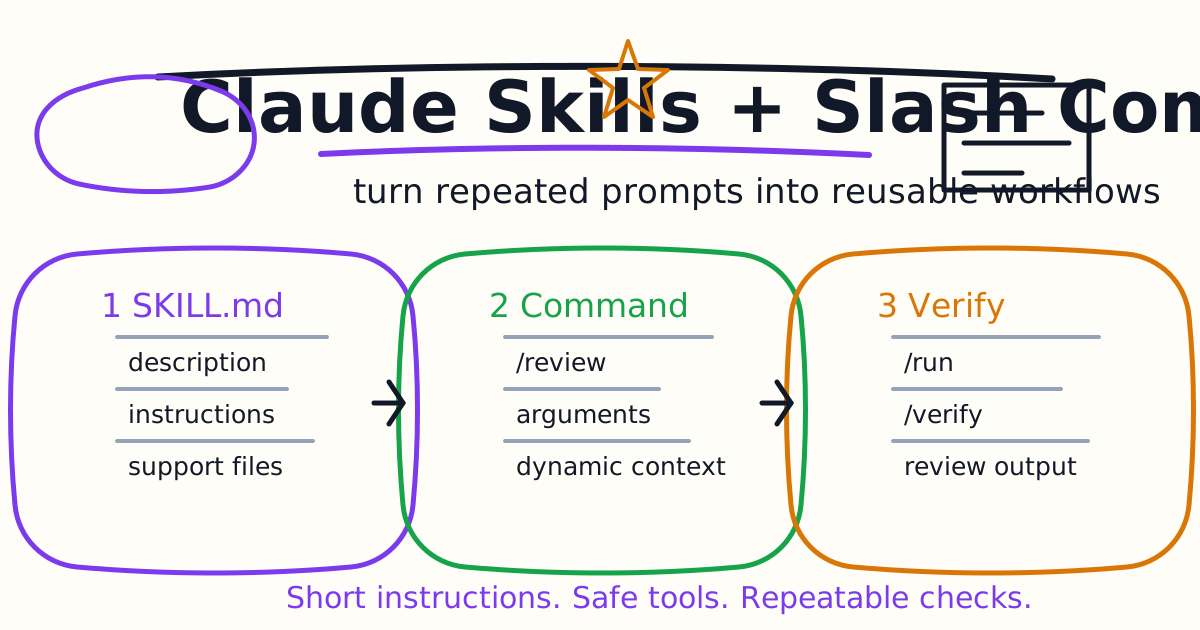
Claude Code skills are the modern way to package repeatable instructions, checklists, and workflow commands. If you used to think in terms of custom slash commands, the important update is this: custom commands now fit into the skills system. A SKILL.md file can create a command such as /summarize-changes, and older .claude/commands/ files still work.
This guide explains how skills and slash commands fit together, how to create a first skill, where skills live, how dynamic context injection works, which frontmatter fields matter, and when to use built-in skills such as /run, /verify, /debug, and /code-review.
Quick Answer
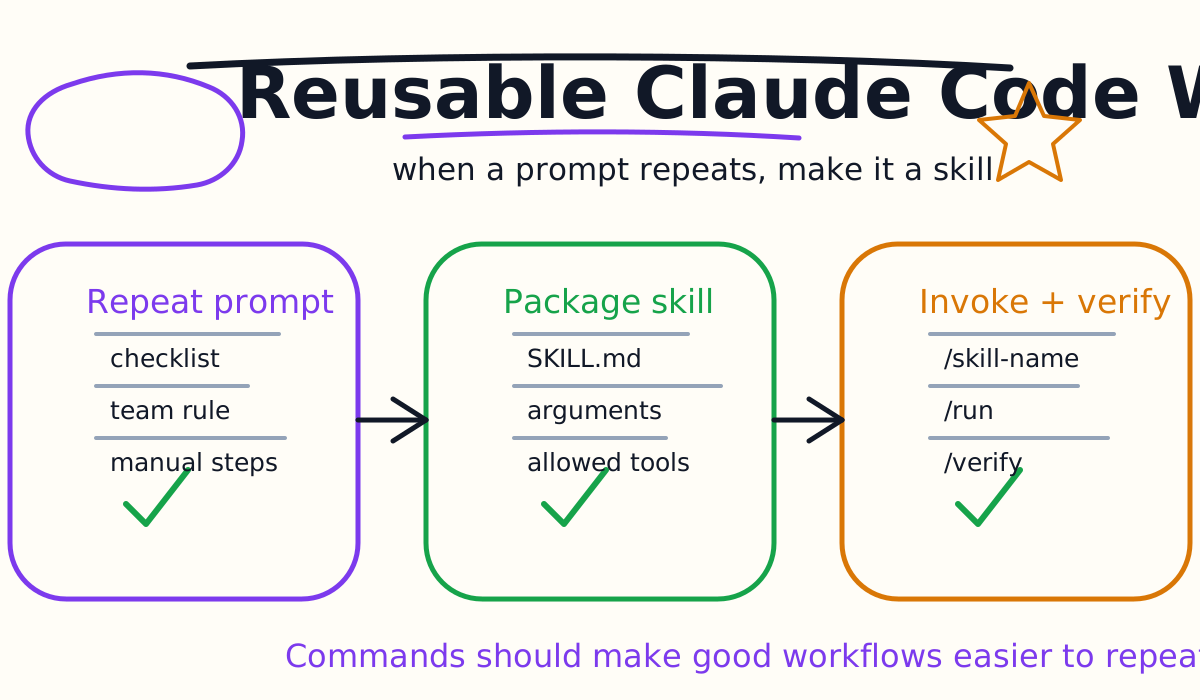
Create a Claude Code skill when you keep pasting the same workflow into chat. Good first skills are:
- Summarize the current diff.
- Review a pull request checklist.
- Generate release notes.
- Run a repository-specific verification recipe.
- Convert an issue into an implementation plan.
- Apply a team documentation template.
Create a folder such as:
.claude/skills/summarize-changes/
Add a SKILL.md file. Claude can then use the skill automatically when relevant, or you can invoke it directly:
/summarize-changes
Keep the skill concise. Put long reference material, examples, templates, or scripts in supporting files and have the skill load them only when useful.
Skills vs Slash Commands
Claude Code has built-in slash commands such as /help, /status, /model, /compact, /agents, and /mcp. It also has bundled skills that you invoke like commands, such as /debug, /code-review, /run, and /verify.
For custom workflows, skills are the recommended packaging layer:
- A skill lives in a folder.
- Its entrypoint is
SKILL.md. - The folder name becomes the command name.
- Claude can load it automatically when relevant.
- You can invoke it manually with
/skill-name. - It can include supporting files and scripts.
Older custom command files under .claude/commands/ still work. If a command and a skill share a name, the skill takes precedence. For new work, use skills because they are more flexible.
Create Your First Skill
Create a project skill:
mkdir -p .claude/skills/summarize-changes
Then write .claude/skills/summarize-changes/SKILL.md:
---
description: Summarizes uncommitted changes and flags important risks. Use when the user asks what changed, wants a commit summary, or asks for a diff review.
---

## Current changes

!`git diff HEAD`

## Instructions

Summarize the changes in two or three bullets.
Then list risks such as missing tests, hardcoded values, security issues, or behavior changes.
If the diff is empty, say there are no uncommitted changes.
The line beginning with ! is dynamic context injection. Claude Code runs the command and inserts the output before Claude sees the skill content. That makes the answer grounded in the actual working tree instead of stale memory.
Test it in a Claude Code session:
/summarize-changes
Or ask naturally:
What changed in this repo?
If the description matches, Claude can decide to load the skill automatically.
Where Skills Live
Use scope deliberately:
| Location | Scope | Best For |
|---|---|---|
.claude/skills/<name>/SKILL.md | Current project | Team workflows for one repo |
~/.claude/skills/<name>/SKILL.md | Your user account | Personal workflows across projects |
| Plugin skills | Plugin install | Reusable packaged workflows |
| Managed settings | Organization | Enterprise-wide workflows |
Project skills are discovered from the current directory and parent directories. Nested project skills can also matter in monorepos when work happens inside a package. That makes skills useful for large repositories where the frontend, backend, and infrastructure folders each need different workflows.
For team workflows, project skills are usually better than personal skills because they travel with the repository and can be reviewed in code review.
Frontmatter That Matters
A skill can work with only a description:
---
description: Reviews the current diff for risky behavior changes and missing tests.
---
The most useful optional fields are:
| Field | Use |
|---|---|
description | Helps Claude decide when to load the skill |
when_to_use | Adds trigger examples or extra invocation guidance |
argument-hint | Shows expected arguments in autocomplete |
arguments | Defines positional variables for substitution |
disable-model-invocation | Prevents Claude from using the skill automatically |
allowed-tools | Allows specific tools while the skill is active |
disallowed-tools | Removes risky tools for that turn |
context: fork | Runs the skill in a forked subagent context |
agent | Chooses which subagent type to use with forked context |
paths | Limits automatic activation to certain file patterns |
Use disable-model-invocation: true for tasks you only want humans to trigger, such as deployments or production checks.
Add Arguments
Arguments make a command easier to reuse:
---
description: Drafts release notes for a target version.
argument-hint: "[version]"
arguments: version
disable-model-invocation: true
---

Draft release notes for version $version.

Use:
- merged commits
- changed public behavior
- migration notes
- known risks
Then invoke:
/release-notes 2.4.0
Arguments are best for simple values: version numbers, file paths, issue IDs, package names, or output formats. If the command needs a long instruction, ask in normal chat and let the skill provide the reusable procedure.
Use Dynamic Context Carefully
Dynamic context injection is powerful because it can run commands before the skill content reaches Claude.
Good uses:
git diff HEADgit status --shortnpm test -- --listTestsin a small project- Reading a generated report file
- Listing recent migration files
Risky uses:
- Printing secrets.
- Dumping huge logs.
- Running slow commands on every invocation.
- Calling production APIs.
- Running commands with side effects.
Keep injected context small. A skill should save time, not flood the session.
Pre-Approve Tools With Care
Skills can use allowed-tools to reduce permission friction for known safe commands:
---
description: Summarizes the current git diff.
allowed-tools: Bash(git diff:*), Bash(git status:*)
---
That is useful for read-only workflows. Be careful with broad tool approvals. A deployment skill should not quietly receive broad shell access just because it is convenient.
Use disallowed-tools when a skill should never perform certain actions:
---
description: Reviews generated SQL migrations for risky changes.
disallowed-tools: Write, Edit
---
The principle is the same as subagents and hooks: give the workflow the smallest capability that makes it useful.
Run Skills In A Subagent
For noisy work, run a skill in a forked subagent context:
---
description: Researches a package migration and returns a concise plan.
context: fork
agent: general-purpose
---
This is helpful when the skill needs to inspect many files, gather docs, or produce a plan without filling the main conversation. For more on worker isolation, see the Claude Code Subagents Guide.
Use forked skills for:
- Research tasks.
- Large audits.
- Multi-file review.
- Migration planning.
- Exploratory debugging.
Do not use forked context when you need close step-by-step steering. Keep that in the main conversation.
Built-In Skills To Learn First
Claude Code includes bundled skills that behave like commands. The most practical ones for developers are:
| Skill | Use |
|---|---|
/code-review | Review changes for correctness and risk |
/debug | Investigate errors or failing tests |
/run | Launch and drive an app to observe behavior |
/verify | Confirm a code change works in the running app |
/run-skill-generator | Create a project-specific run recipe |
The /run and /verify skills are especially important for frontend and app work. They push the workflow beyond "tests passed" into "the app actually runs and the behavior is visible." If the project needs a database, env file, or special launch command, use /run-skill-generator to record the recipe.
When To Use A Skill Instead Of CLAUDE.md
Put stable facts in CLAUDE.md:
- Package manager.
- Build command.
- Test command.
- Generated directories.
- Architecture overview.
- Team style rules.
Put procedures in skills:
- Release checklist.
- PR review workflow.
- Migration plan format.
- Documentation publishing steps.
- Repository-specific QA routine.
The reason is context cost. CLAUDE.md loads broadly. A skill loads when it is needed. If a section of CLAUDE.md becomes a long step-by-step procedure, move it into a skill.
Common Mistakes
The first mistake is writing a skill that is too long. Once loaded, the content stays in context across turns. Keep the entrypoint tight.
The second mistake is hiding dangerous actions behind a friendly slash command. Use disable-model-invocation: true, narrow tools, and human review for risky workflows.
The third mistake is injecting too much command output. A 5,000-line log usually makes the answer worse, not better.
The fourth mistake is putting secrets in injected output. Skills should never print tokens, env files, private keys, or production credentials.
The fifth mistake is creating many similar commands. If five commands share one checklist, create one skill with an argument.
Final Recommendation
Start with one project skill: summarize the current diff and flag risks. Then add a review skill, a verification skill, or a release-note skill only when the workflow repeats.
Skills are powerful because they turn a messy prompt habit into a named, reviewable tool. The best skills are short, specific, and boring in the best possible way: they do the same useful thing every time.
Related Claude Code Tutorials
- Claude Code Quick Start
- Claude Code CLI Tutorial
- Claude Code Subagents Guide
- Claude Code Plugins Guide
- Claude Code Agent Teams Guide
- Claude Code Settings and Memory Guide
- Claude Code MCP Guide
- Claude Code Hooks Guide
- Claude Code VS Code Tutorial
- Codex Prompts for Developers
- Codex vs Claude Code
Official Sources
Decision Checklist For Claude Code Skills and Slash Commands Guide
Use this guide as a decision filter before a sales call, trial, or migration plan. For Claude Code Skills and Slash Commands Guide, the practical question is whether the topic connects Claude Code skills, Claude Code slash commands, Claude Code custom commands to a measurable workflow outcome. A good decision should improve delivery speed, quality, cost control, or operational confidence without creating hidden review, security, or migration work.
- Generated changes survive code review with fewer rewrites, fewer broad diffs, and fewer style corrections.
- The assistant understands multi-file context, tests, build failures, private repository rules, and local conventions.
- Administrators can manage seats, data controls, policy settings, and usage visibility without blocking developers.
Pilot Plan
A useful pilot is small enough to finish quickly but realistic enough to expose integration, data, workflow, and pricing issues. Avoid demo-only tests. The trial should use real tasks, real constraints, and a baseline from the current process so the team can decide with evidence instead of impressions.
- Give each candidate the same bug fix, failing-test repair, refactor, and explanation task.
- Track accepted diffs, reviewer comments, rework time, test pass rate, and developer satisfaction.
- Run the trial with senior maintainers and newer engineers because the value pattern is different for each group.
Metrics To Track
Track metrics that connect Claude Code Skills and Slash Commands Guide to outcomes a budget owner and an engineering owner can both understand. A tool can look impressive in a demo and still fail if usage is low, quality is uneven, or the cost model changes under real workload volume.
- Accepted AI-assisted diffs, rejected suggestions, reviewer comments, and post-merge fixes.
- Time to repair failing tests, explain unfamiliar modules, and complete safe refactors.
- Seat utilization, premium request exhaustion, and policy exceptions for sensitive repositories.
Budget And Risk Review
Commercially useful AI tooling decisions should include the subscription or API price, but they should also include support load, review time, observability, privacy controls, switching cost, and the cost of wrong or low-quality output. Treat the first estimate as a working model and update it with production evidence.
- Confirm private code handling, training opt-out, data retention, and enterprise policy controls.
- Watch for over-generation: large patches that look productive but increase review cost.
- Compare cost per accepted change rather than cost per seat alone.
Revisit the assistant after 30 days of real pull requests. A useful coding tool should reduce review latency and onboarding friction without increasing risky generated code.
Editorial note
AI Jupyter writes independent guides for technical readers. Product details, pricing, and feature names can change, so readers should verify commercial terms on the official vendor site before buying.
Reviewed by the AI Jupyter Editorial Team.