
AI Coding Tools
Codex Exec Automation Guide
A practical Codex exec automation guide for scripts, CI jobs, JSON output, schemas, sandbox settings, and safe non-interactive workflows.
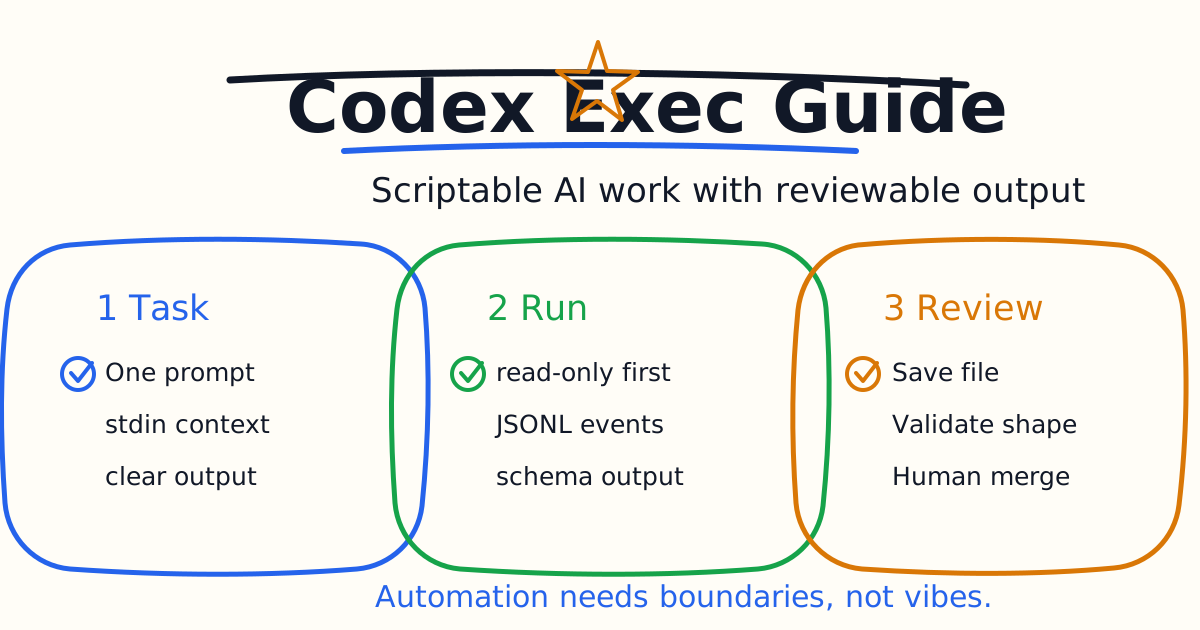
codex exec is the non-interactive way to run Codex from scripts, terminals, and CI jobs. Instead of opening the interactive terminal UI, you pass a task prompt, let Codex work under explicit settings, and capture the final output for another tool or workflow.
This guide explains when to use codex exec, how to set permissions, how to capture machine-readable output, how to use schemas, and how to avoid unsafe automation patterns.
Quick Answer
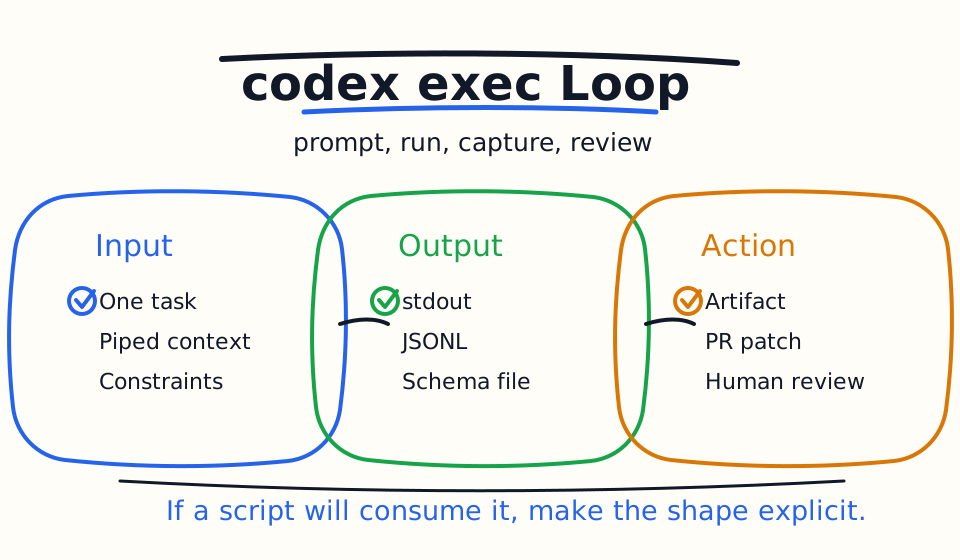
Use codex exec when you want Codex to run as part of a pipeline, script, scheduled job, CI step, or local command chain. It is best for one clear task with a reviewable output: summarize a repo, draft release notes, review a diff, triage failures, generate structured metadata, or propose a patch in a controlled environment.
Start with the default read-only behavior. Add --sandbox workspace-write only when the automation must edit files. Use danger-full-access only inside a controlled runner or container.
Basic Usage
Run a single task:
codex exec "summarize the repository structure and list the top 5 risky areas"
Write the final message to a file:
codex exec "generate release notes for the last 10 commits" | tee release-notes.md
Use --ephemeral when you do not want to persist session rollout files:
codex exec --ephemeral "triage this repository and suggest next steps"
The most important habit is to treat the prompt like an automation contract. Be explicit about the goal, constraints, output format, and verification.
When To Use Codex Exec
Use codex exec for:
- CI checks.
- Pre-merge review summaries.
- Release note drafts.
- Repository metadata extraction.
- Documentation drift checks.
- Scheduled triage.
- Changelog updates.
- One-shot analysis.
- Controlled autofix attempts.
Use the interactive Codex UI instead when the task needs steering, visual review, browser interaction, or a long conversation.
Permissions And Sandbox
The official Codex non-interactive docs describe codex exec as read-only by default. That is a good automation default.
Use the least permission needed:
codex exec "review this repository for risky areas"
Allow workspace edits when needed:
codex exec --sandbox workspace-write "fix the failing lint rule and run the closest check"
Use full access only in a trusted isolated environment:
codex exec --sandbox danger-full-access "run the controlled migration script and summarize the output"
Do not use full access just because it avoids friction. Automation amplifies mistakes.
Pipe Context Into Codex
If stdin is piped and you also provide a prompt, Codex treats the prompt as the instruction and the piped content as extra context.
Example:
git log --oneline -20 \
  | codex exec "Draft concise release notes from these commits" \
  > release-notes.md
Another example:
npm test 2>&1 \
  | codex exec "Summarize the failing tests and recommend the smallest next fix"
This pattern is useful because your script controls the input. Codex does not need to search for context when the pipeline already provides it.
JSON Output
Use --json when a script needs event-level output.
codex exec --json "summarize the repo structure" | jq
JSON Lines output can include thread events, command executions, file changes, tool calls, web searches, and final messages. This is useful when you want logs, dashboards, or downstream automation to see what Codex did.
If you only need the final response, write the final message to a file:
codex exec "summarize the risk of this diff" -o codex-summary.md
Use the simplest output mode that your workflow can consume reliably.
Structured Output With A Schema
When downstream tools need stable fields, use an output schema.
Example schema:
{
  "type": "object",
  "properties": {
    "risk_level": { "type": "string" },
    "summary": { "type": "string" },
    "recommended_next_step": { "type": "string" }
  },
  "required": ["risk_level", "summary", "recommended_next_step"],
  "additionalProperties": false
}
Run:
codex exec "Review this diff and return structured risk metadata" \
  --output-schema ./risk-schema.json \
  -o ./risk-report.json
This is stronger than asking for "JSON please" in a prompt because the schema becomes part of the interface.
Authentication In Automation
Local codex exec can reuse saved CLI authentication. In CI, prefer the official Codex GitHub Action for GitHub Actions workflows because it is designed to reduce API key exposure.
For other controlled automation environments, set credentials only for the single command invocation when possible:
CODEX_API_KEY=$CODEX_API_KEY codex exec --json "triage open bug reports"
Do not expose API keys to setup steps, untrusted repository scripts, dependency lifecycle hooks, or arbitrary PR code.
Safe Automation Pattern
Use this pattern for repeatable jobs:
- Generate trusted input with a script.
- Run
codex execwith the narrowest sandbox. - Capture output to a file or JSONL stream.
- Validate output shape if a machine will consume it.
- Keep patches as artifacts or open a reviewable pull request.
- Require human review before merge.
This keeps Codex in the automation loop without making it an unreviewed deploy bot.
Good First Automations
Start with read-only tasks:
- Summarize a pull request.
- Draft release notes.
- Identify risky files in a diff.
- Explain failing test logs.
- Generate a documentation checklist.
- Extract project metadata into JSON.
Move to write tasks after the read-only output is consistently useful.
Common Mistakes
The first mistake is using codex exec for a vague task. Non-interactive runs need a clear finish line.
The second mistake is giving automation more permission than it needs. Start read-only.
The third mistake is passing untrusted text directly into prompts without sanitizing it.
The fourth mistake is relying on free-form text when downstream tools need stable data. Use a schema.
The fifth mistake is treating output as a final decision. Codex output is an input to your workflow, not a replacement for review.
Bottom Line
codex exec is best for narrow, repeatable automation. Give it one clear task, choose the smallest useful sandbox, capture output in the format your workflow needs, and keep the result reviewable.
If the task needs conversation, use the interactive Codex UI. If the task needs CI automation, codex exec is the right primitive.
Related Codex Tutorials
- Codex GitHub Action Tutorial
- Codex IDE Extension Tutorial
- Codex CLI Tutorial
- Codex Permissions and Sandbox Guide
- Codex Cloud Tasks Guide
- Codex Cloud Environment Setup Guide
- Codex MCP Guide
- Codex Code Review Tutorial
Official References
Decision Checklist For Codex Exec Automation Guide
Use this guide as a decision filter before a sales call, trial, or migration plan. For Codex Exec Automation Guide, the practical question is whether the topic connects codex exec, Codex automation, Codex CI to a measurable workflow outcome. A good decision should improve delivery speed, quality, cost control, or operational confidence without creating hidden review, security, or migration work.
- Generated changes survive code review with fewer rewrites, fewer broad diffs, and fewer style corrections.
- The assistant understands multi-file context, tests, build failures, private repository rules, and local conventions.
- Administrators can manage seats, data controls, policy settings, and usage visibility without blocking developers.
Pilot Plan
A useful pilot is small enough to finish quickly but realistic enough to expose integration, data, workflow, and pricing issues. Avoid demo-only tests. The trial should use real tasks, real constraints, and a baseline from the current process so the team can decide with evidence instead of impressions.
- Give each candidate the same bug fix, failing-test repair, refactor, and explanation task.
- Track accepted diffs, reviewer comments, rework time, test pass rate, and developer satisfaction.
- Run the trial with senior maintainers and newer engineers because the value pattern is different for each group.
Metrics To Track
Track metrics that connect Codex Exec Automation Guide to outcomes a budget owner and an engineering owner can both understand. A tool can look impressive in a demo and still fail if usage is low, quality is uneven, or the cost model changes under real workload volume.
- Accepted AI-assisted diffs, rejected suggestions, reviewer comments, and post-merge fixes.
- Time to repair failing tests, explain unfamiliar modules, and complete safe refactors.
- Seat utilization, premium request exhaustion, and policy exceptions for sensitive repositories.
Budget And Risk Review
Commercially useful AI tooling decisions should include the subscription or API price, but they should also include support load, review time, observability, privacy controls, switching cost, and the cost of wrong or low-quality output. Treat the first estimate as a working model and update it with production evidence.
- Confirm private code handling, training opt-out, data retention, and enterprise policy controls.
- Watch for over-generation: large patches that look productive but increase review cost.
- Compare cost per accepted change rather than cost per seat alone.
Revisit the assistant after 30 days of real pull requests. A useful coding tool should reduce review latency and onboarding friction without increasing risky generated code.
Editorial note
AI Jupyter writes independent guides for technical readers. Product details, pricing, and feature names can change, so readers should verify commercial terms on the official vendor site before buying.
Reviewed by the AI Jupyter Editorial Team.