
AI Coding Tools
Codex Quick Start
A practical Codex quick start tutorial for developers who want to use OpenAI Codex as an AI coding agent for real codebases.
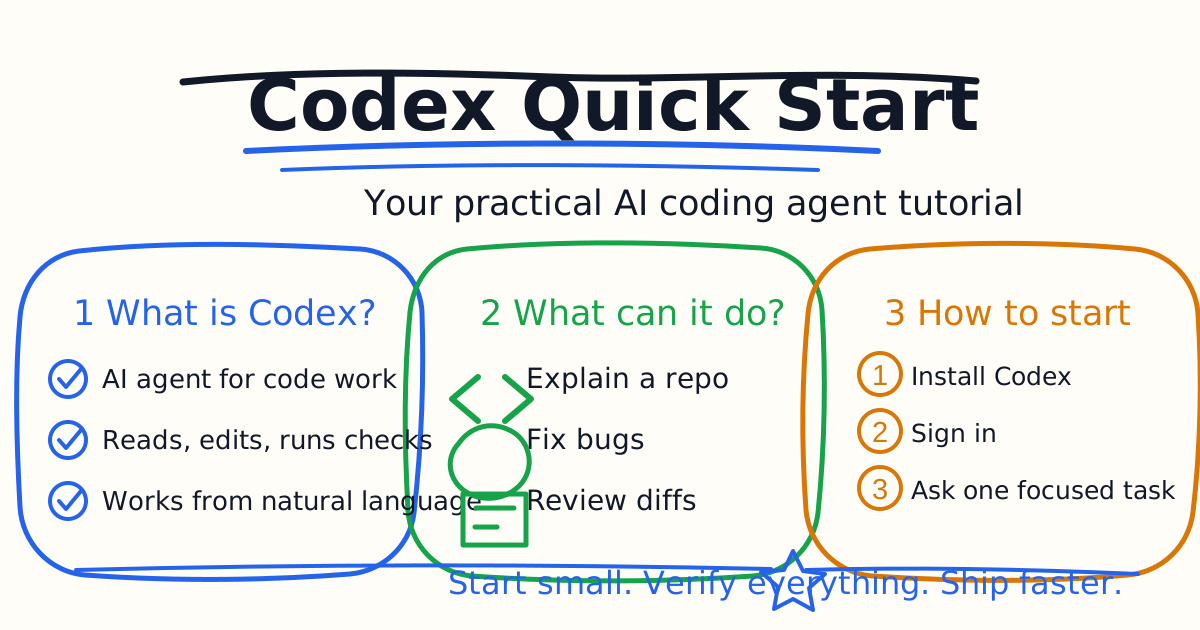
Codex is OpenAI's coding agent for software development. Instead of only suggesting the next line of code, Codex can inspect a repository, understand files, make edits, run commands, explain a change, and help review the final diff. That makes it more useful for real engineering work than a simple autocomplete tool.
This Codex tutorial is written for developers who want a practical first workflow. The goal is not to ask Codex to rewrite an entire app on day one. The goal is to give Codex one focused task, let it gather context, ask it to verify the result, and review the final change like you would review work from a teammate.
Quick Answer
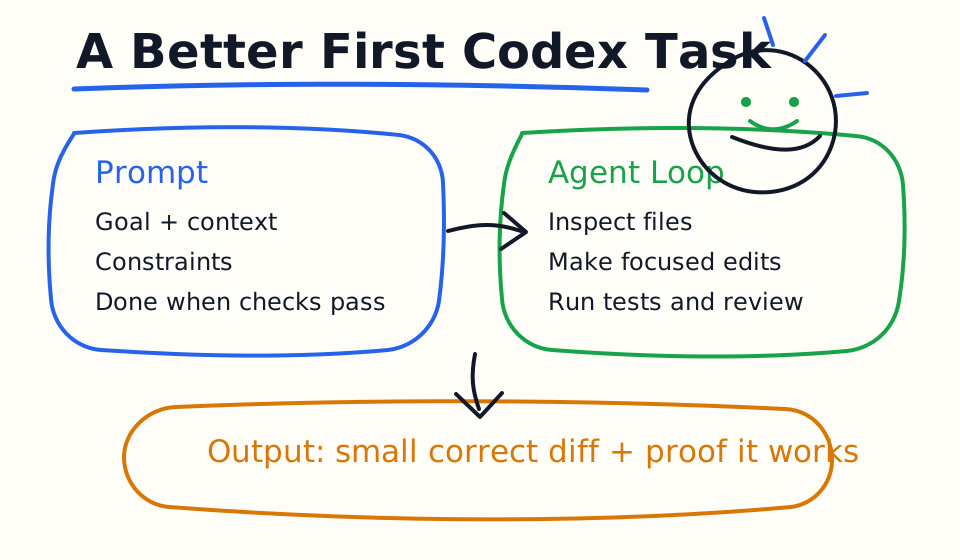
Start with Codex by choosing a small real task in an existing codebase. A good first task is: explain a module, fix one failing test, add one validation rule, update one UI state, or review a small diff. Give Codex the goal, the files or error messages that matter, the constraints it must follow, and the checks that prove the task is done.
The most important habit is verification. Ask Codex to run the relevant test, build, type check, or lint command after it edits code. If the check fails, let Codex inspect the failure and repair the smallest necessary part. A Codex session should end with a clear summary, changed files, and proof that the result works.
What Codex Is
Codex is an AI coding agent. It can work through a loop: read context, reason about the task, perform actions such as file reads or edits, run tools, and continue until the task is complete or you stop it. In practice, that means you can ask Codex to do work that spans multiple files, not just answer a question in chat.
OpenAI's Codex documentation describes several surfaces for different workflows. The CLI is useful for terminal-first local repository work. The IDE extension is useful when you want Codex attached to your editor. The Codex app is useful for desktop planning, review, browser-assisted work, and richer interactive sessions. Cloud tasks are useful when you want hosted, parallel, or offloaded work after your repository is available to the cloud environment.
For beginners, the exact surface matters less than the workflow. Codex works best when you treat it like a teammate with access to your project, not like a magic code generator. You still define the goal. You still review the work. Codex helps by doing the tedious exploration, editing, checking, and explanation steps much faster.
Install And Sign In
The current Codex setup path depends on the surface you want to use. For local work, install Codex from the official OpenAI Codex quickstart for your operating system, then run the codex command from a project directory. Codex supports signing in with ChatGPT, and it also supports API key authentication for local workflows and automation.
After installation, open a terminal inside a repository and run:
codex
You can also start with a direct prompt:
codex "Explain this codebase and list the safest first improvement."
If you need to authenticate from the terminal, use:
codex login
For normal developer use, signing in with ChatGPT is the default path when no valid local session is available. For scripts, CI, or programmatic workflows, API key authentication can be a better fit because it follows API billing and avoids relying on a personal browser session.
Your First Useful Prompt
Do not begin with "build my whole app." Begin with one task that has a visible finish line. Codex produces better results when it knows what success looks like.
Use this first prompt template:
Goal: Fix the login form error state so the message clears after a successful retry.

Context: Start with src/components/LoginForm.tsx and the related auth tests.

Constraints: Keep the existing component structure. Do not add a new state library.

Done when: The relevant tests pass, and you summarize the changed files and risk.
That prompt has four pieces: goal, context, constraints, and done condition. It tells Codex where to look, what not to do, and how to prove the work is finished. This is much stronger than asking "fix login bug" because it reduces unnecessary exploration and makes the final diff easier to review.
What Codex Can Do Well
Codex is especially useful for codebase understanding. Ask it to explain a module, trace a request path, identify where a setting is loaded, summarize a test suite, or map the files involved in a feature. This is a high-value starting point because it lets Codex gather context before touching code.
Codex is also useful for focused implementation work. Good tasks include adding validation, updating copy, fixing a failing test, writing a small API endpoint, adding an empty state, cleaning up a narrow type error, or improving a function with clear tests. The key word is focused. Smaller tasks are easier for Codex to verify and easier for you to review.
Codex can help with review. You can ask it to inspect uncommitted changes, explain risk, find missing tests, or compare a diff against project rules. A useful review prompt is: "Review this diff for bugs, regressions, missing tests, accessibility issues, and risky assumptions. Prioritize actionable findings."
Use AGENTS.md Early
Once you find instructions that improve Codex output, put them in AGENTS.md. Codex reads AGENTS.md before doing work, so the file is the right place for durable project guidance: repository layout, test commands, build commands, style rules, review expectations, and do-not-touch areas.
A simple AGENTS.md can be short:
# AGENTS.md

## Project rules

- Use `npm run build` before reporting frontend work as complete.
- Keep changes small and focused.
- Do not edit generated files in `.next/` or `dist/`.
- For behavior changes, add or update tests when practical.
For larger teams, add more specific AGENTS.md files in subdirectories when one package has different rules. The closest guidance wins, so a payment service, mobile app, or documentation folder can each have its own local expectations without overloading the repository root.
A Practical Codex Workflow
Use this loop for most coding tasks:
- Ask Codex to inspect the relevant files before editing.
- Ask for a short plan when the task is unclear or risky.
- Let Codex make the smallest useful change.
- Ask Codex to run the relevant verification command.
- If a check fails, ask it to fix the failure without widening the change.
- Review the final diff yourself before committing.
This workflow keeps Codex useful without letting it sprawl. The best Codex sessions often produce fewer lines of code than you expected, because the agent found the right file, avoided unnecessary rewrites, and finished with a change a human reviewer can understand quickly.
Good Codex Prompts
Use these prompts as starting points:
Explain how this repository is structured. Identify the entry points, test commands, and the three files I should read first.
Fix the failing test shown below. Do not change the test expectation unless you first explain why the expectation is wrong.
Add this feature with the smallest diff you can. Follow existing patterns in nearby files and run the relevant checks before summarizing.
Review my uncommitted changes. Focus on bugs, regressions, missing tests, and unclear behavior. Give prioritized findings with file references.
The pattern is consistent: give Codex a job, define the scope, and ask for verification. If you only ask for output, you get output. If you ask for a verified change, you are much more likely to get work that survives review.
Common Beginner Mistakes
The first mistake is giving Codex a broad task with no done condition. "Improve the dashboard" invites a large speculative patch. "Add an empty state to the dashboard table and run the component tests" is much safer.
The second mistake is skipping context. Codex can discover context, but it works faster when you point it at the right files, screenshots, logs, stack traces, or product constraints. Attach images when the task is visual. Paste the exact error when the task starts from a failure.
The third mistake is accepting code without verification. Codex can run tests, builds, type checks, and linters when the environment allows it. Make verification part of the prompt, not an afterthought.
The fourth mistake is treating Codex as a replacement for review. Codex can help review the diff, but you still decide whether the change is correct for the product, team, security model, and deployment path.
Codex vs Older AI Coding Tools
Older AI coding comparisons often focused on autocomplete and editor chat. That was useful when the main question was whether Cursor, Copilot, or Windsurf could write the next function faster. The hotter question now is different: which AI coding agent can understand a real repository, make controlled changes, run checks, remember project rules, and help you review the result?
That is why Codex tutorials should focus on workflows rather than novelty. A good Codex article should teach installation, prompting, local repository work, AGENTS.md, verification, code review, image input, browser testing, and safe deployment habits. Those are the topics developers search for when they move from "AI autocomplete" to "AI coding agent."
Bottom Line
The best way to start with Codex is to pick one real task, give it clear context, require verification, and review the final diff. Once that works, move repeated instructions into AGENTS.md, use Codex for codebase understanding, and build a repeatable workflow for planning, editing, testing, and review.
Codex is most valuable when it helps you ship a small correct change faster, not when it writes the most code.
Related Codex Tutorials
- Codex CLI Tutorial
- Codex IDE Extension Tutorial
- Codex Prompts for Developers
- Codex AGENTS.md Guide
- Codex MCP Guide
- Codex Cloud Tasks Guide
- Codex Cloud Environment Setup Guide
- Codex Exec Automation Guide
- Codex GitHub Action Tutorial
- Codex Permissions and Sandbox Guide
- Codex Image Input Guide
- Codex Code Review Tutorial
- Codex vs Claude Code
- Claude Code Quick Start
- Claude Code CLI Tutorial
- Claude Code Settings and Memory Guide
Official References
Decision Checklist For Codex Quick Start
Use this guide as a decision filter before a sales call, trial, or migration plan. For Codex Quick Start, the practical question is whether the topic connects Codex tutorial, Codex quick start, AI coding agent to a measurable workflow outcome. A good decision should improve delivery speed, quality, cost control, or operational confidence without creating hidden review, security, or migration work.
- Generated changes survive code review with fewer rewrites, fewer broad diffs, and fewer style corrections.
- The assistant understands multi-file context, tests, build failures, private repository rules, and local conventions.
- Administrators can manage seats, data controls, policy settings, and usage visibility without blocking developers.
Pilot Plan
A useful pilot is small enough to finish quickly but realistic enough to expose integration, data, workflow, and pricing issues. Avoid demo-only tests. The trial should use real tasks, real constraints, and a baseline from the current process so the team can decide with evidence instead of impressions.
- Give each candidate the same bug fix, failing-test repair, refactor, and explanation task.
- Track accepted diffs, reviewer comments, rework time, test pass rate, and developer satisfaction.
- Run the trial with senior maintainers and newer engineers because the value pattern is different for each group.
Metrics To Track
Track metrics that connect Codex Quick Start to outcomes a budget owner and an engineering owner can both understand. A tool can look impressive in a demo and still fail if usage is low, quality is uneven, or the cost model changes under real workload volume.
- Accepted AI-assisted diffs, rejected suggestions, reviewer comments, and post-merge fixes.
- Time to repair failing tests, explain unfamiliar modules, and complete safe refactors.
- Seat utilization, premium request exhaustion, and policy exceptions for sensitive repositories.
Budget And Risk Review
Commercially useful AI tooling decisions should include the subscription or API price, but they should also include support load, review time, observability, privacy controls, switching cost, and the cost of wrong or low-quality output. Treat the first estimate as a working model and update it with production evidence.
- Confirm private code handling, training opt-out, data retention, and enterprise policy controls.
- Watch for over-generation: large patches that look productive but increase review cost.
- Compare cost per accepted change rather than cost per seat alone.
Revisit the assistant after 30 days of real pull requests. A useful coding tool should reduce review latency and onboarding friction without increasing risky generated code.
Editorial note
AI Jupyter writes independent guides for technical readers. Product details, pricing, and feature names can change, so readers should verify commercial terms on the official vendor site before buying.
Reviewed by the AI Jupyter Editorial Team.